
|
Do it yourself
| |||
| ||||


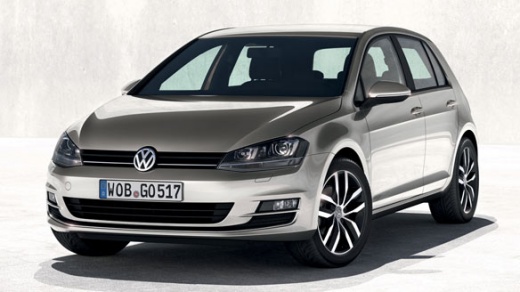
Resetting the maintenance light on a Volkswagen Golf 7
Model: Volkswagen Golf
MK 7, Golf 7, Golf VII
- Years:
2012, 2013, 2014, 2015, 2016, 2017, 2018, 2019
Video tutorial
Thanks to this very useful tutorial, we can see, in a few simple steps, how to reset the maintenance on a Volkswagen Golf 7. Let's start the procedure by pressing and holding the "0.0" button on the speedometer and then turning on the car's dashboard in the first position. Once this is done, we will be asked to reset the maintenance deadline, so we release the "0.0" button and press it again to confirm and perform the reset. Finally, we repeat the same procedure but wait for the request to reset the inspection before resetting it as shown in the video to complete the job.
Posted on 12 September 2025 by ScegliAuto
Related tutorials
Volkswagen Golf
(1997-2003 /
Golf IV, Golf 4, MK 4)
Let's see thanks to this very useful tutorial how to reset the maintenance light of the engine oil on a Volkswagen Golf 4. Let's start by pressing an…

Volkswagen Golf
(2012-2019 /
MK 7, Golf 7, Golf VII)
Briefly, we will see the instructions on how to reset the tyre pressure monitoring system light on the Volkswagen Golf. Before resetting the TPMS sen…

Volkswagen Golf
(2012-2019 /
MK 7, Golf 7, Golf VII)
Today's video will show you how to reset the tyre pressure warning light (TPMS) on the Volkswagen Golf; before performing the reset, ensure that all …
Other guides you may be interested in
|
Where are the fuses located in the Renault Megane 2?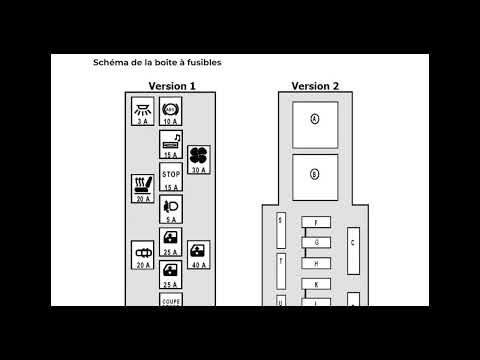
The fuses in the Renault Megane 2 are divided within the specific fuse boxes installed in the vehicle: this model has two fuse boxes. The first is located inside the dashboard, at the bottom left of the steering column: this box contains the fuses for the window lifters, heated seats, courtesy lights, etc. The second fuse box is positioned on the right side of the engine bay and contains the fuses for the windscreen wipers, horn, etc. by ScegliAuto More videos
|
|
For advertising on this site Write to info@scegliauto.com
ScegliAuto is not responsible for any inaccuracy of the data in the lists. To report any inaccuracy or your business (if you own the business in question), please write to info@scegliauto.com
Number of seconds to generate the page: 0.044
(c) ScegliAuto 2026 - info@scegliauto.com - Privacy policy VAT number: IT01247470535 |
