
|
Do it yourself
| |||
| ||||


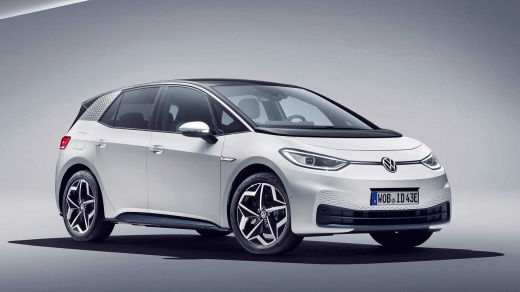
How to Activate the Air Conditioning on the Volkswagen ID 3
Model: Volkswagen Id 3
MK 1
- Years:
2019, 2020, 2021, 2022, 2023, 2024, 2025, 2026
Video tutorial
In this guide, we will see the instructions that will allow us to activate the air conditioning on the Volkswagen ID 3, as well as the ID 4. First, get into the vehicle and start the ignition; press the climate button found on the central instrument panel, thus entering the air conditioning control panel, as shown in the video. At this point, you can adjust the power, the fan, and the direction of the airflow, all adjustable from the panel; additionally, it is possible to activate the seat ventilation (if the vehicle is equipped with such a system).
Updated on 30 January 2026 by ScegliAuto
Related tutorials
Volkswagen Id 3
(2019-2026 /
MK 1)
This guide provides instructions to activate the We Connect account on the Volkswagen ID 3, as well as on the ID 4 and ID 5. First, get into the vehi…
Volkswagen Id 3
(2019-2026 /
MK 1)
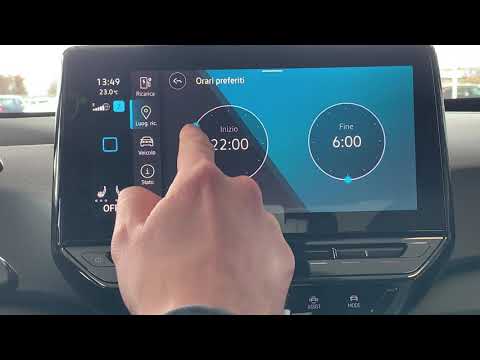
Learn how to schedule automatic charging on the Volkswagen ID.3: go to the main menu, where you need to inform the vehicle of the time you plan to le…

Volkswagen Id 3
(2019-2026 /
MK 1)
This guide provides instructions on how to activate and deactivate the traction control on the Volkswagen ID 3; however, it is advised not to disable…
Other guides you may be interested in
|
How to Remove the Toll Tag Holder from the Windscreen Without Damaging the Glass
Removing stickers or tags from your car's glass without damaging the windscreen has always been a problem. Especially if we attach it - as we should - at the top of the windscreen, where the "black dots" are, which is the unshielded part of the windscreen designed for this type of device, whether it be a toll tag, GoPro, cameras, or otherwise. We found this product that seems suitable, specifically designed for this purpose, and it also thoroughly removes dirt, grease, oil, and antifreeze salt from plastic surfaces. You can find it on the ATG website or on Amazon. by ScegliAuto More videos
|
|
For advertising on this site Write to info@scegliauto.com
ScegliAuto is not responsible for any inaccuracy of the data in the lists. To report any inaccuracy or your business (if you own the business in question), please write to info@scegliauto.com
Number of seconds to generate the page: 0.030
(c) ScegliAuto 2026 - info@scegliauto.com - Privacy policy VAT number: IT01247470535 |
