
|
Do it yourself
| |||
| ||||


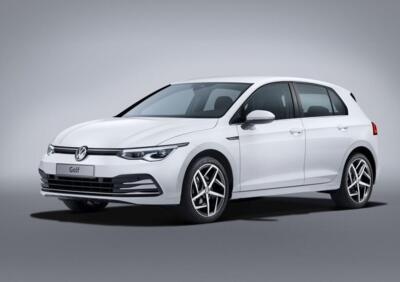
How to Disable Lane Assist on the Volkswagen Golf
Model: Volkswagen Golf
Golf Viii, MK 8, Golf 8
- Years:
2019, 2020, 2021, 2022, 2023, 2024, 2025, 2026
Video tutorial
In this guide, you will find the instructions that will allow you to disable lane keeping or lane assist on the Volkswagen Golf. First, get in the car and start the instrument panel; by pressing the button at the end of the left lever of the steering wheel, you will display the lane assist setting on the instrument panel, activating or deactivating this function, as shown in the video. From the central display, access the menu where all the driver assistance features are located; activate or deactivate the various driver aids.
Posted on 25 October 2026 by ScegliAuto
Related tutorials
Volkswagen Golf
(2019-2026 /
Golf Viii, MK 8, Golf 8)
The following steps will show you how to disable the lane assist on the Volkswagen Golf. First, get into the vehicle and turn on the ignition; you ca…

Volkswagen Golf
(2019-2026 /
Golf Viii, MK 8, Golf 8)
This guide provides instructions to activate and deactivate the lane assist function for lane keeping on the Volkswagen Golf. First, get into the veh…

Volkswagen Golf
(2019-2026 /
Golf Viii, MK 8, Golf 8)
In these brief and simple steps, you will learn how to activate and deactivate Lane Assist on the Volkswagen Golf. First, get into the vehicle and st…
Other guides you may be interested in
|
How to Replace the Battery in a BMW 2 Series Active Tourer?
To replace the battery in a BMW 2 Series Active Tourer, open the hood to access the components in the engine compartment: in the upper right corner, just below the windshield on the driver's side, you will find a panel to remove. The battery is located under this panel and can be removed by loosening the screws that secure it and disconnecting the power cables; this will allow you to connect and install the new battery to ensure everything functions correctly. by ScegliAuto More videos
|
|
For advertising on this site Write to info@scegliauto.com
ScegliAuto is not responsible for any inaccuracy of the data in the lists. To report any inaccuracy or your business (if you own the business in question), please write to info@scegliauto.com
Number of seconds to generate the page: 0.191
(c) ScegliAuto 2026 - info@scegliauto.com - Privacy policy VAT number: IT01247470535 |
