
|
Do it yourself
| |||
| ||||


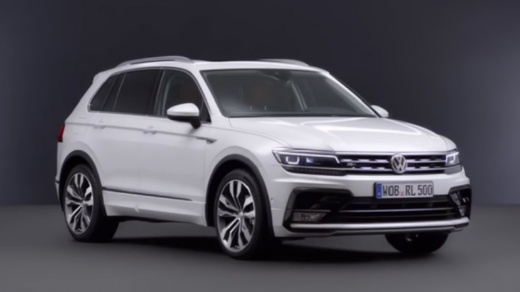
How to reset the tyre pressure warning light on a Volkswagen Tiguan
Model: Volkswagen Tiguan
- Years:
2016, 2017, 2018, 2019, 2020, 2021, 2022, 2023, 2024, 2025
Video tutorial
Before recalibrating the TPMS sensors on your Volkswagen Tiguan, make sure all four tyres are inflated to the correct operating pressure. Sit in the vehicle and switch on the ignition. Open the vehicle settings on the central display, then select the tyre pressure option as shown in the video. Select "set" to confirm and recalibrate the TPMS sensors, resetting the warning light.
Posted on 26 November 2026 by ScegliAuto
Related tutorials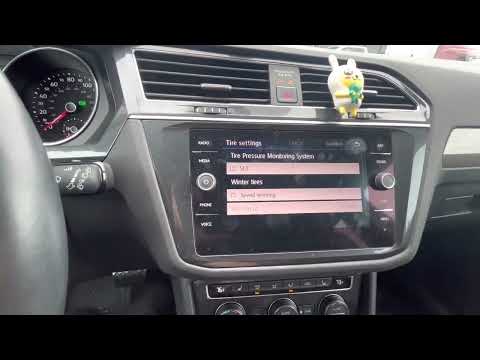
Volkswagen Tiguan
(2016-2025 /
BW, MK 2, AD)
This guide will allow you to reset the tyre pressure warning light on the Volkswagen Tiguan; before carrying out the procedure, ensure that all four …

Volkswagen Tiguan
(2007-2016 /
MK 1, 5N)
In this tutorial we can see how to reset the tire pressure warning light in the Volkswagen Tiguan, an extremely simple and quick operation, to be don…

Volkswagen Tiguan
(2016-2025 /
BW, MK 2, AD)
In this tutorial, you will see how to reset the tyre warning light in a Volkswagen Tiguan, an extremely simple and quick operation, to be performed o…
ScegliAuto offers an extensive international collection of automotive tutorials available in 12 languages. Each guide combines instructional videos with original explanations written by experienced human editors, along with information about the car models covered.
Other guides you may be interested in |
How to Replace the Position Light Bulbs on the Mini Cooper R56?
Learn how to replace the position light bulbs on a Mini Cooper R56. For easier access, turn the wheels outward to create enough space to open the flap under the wheel arch, rotating it counterclockwise before removing it. Grip the position light holder and rotate it 45 degrees (a quarter turn) counterclockwise to unlock it, then pull it out. Once the holder is removed, extract the blown bulb and replace it with a new one. by ScegliAuto More videos
|
|
For advertising on this site Write to info@scegliauto.com
ScegliAuto is not responsible for any inaccuracy of the data in the lists. To report any inaccuracy or your business (if you own the business in question), please write to info@scegliauto.com
Number of seconds to generate the page: 0.023
(c) ScegliAuto 2026 - info@scegliauto.com - Privacy policy - About us VAT number: IT01247470535 |
