
|
Do it yourself
| |||
| ||||


How to Replace the Rear Light on a Volkswagen Golf
Model: Volkswagen Golf
Golf IV, MK 4, Golf 4
- Years 1997-2003
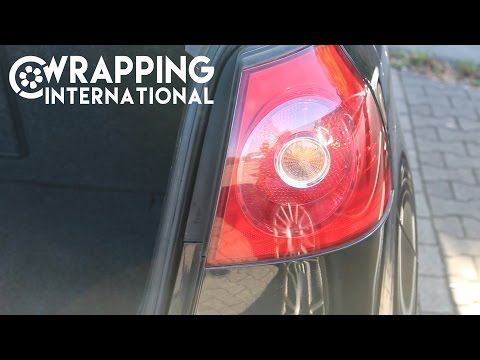
Before you begin, open the boot lid to work freely. Start by moving the carpet to uncover the bolt securing the light. Proceed to unscrew and remove this bolt. Once you have removed the bolt, disconnect the connector attached to the rear light. After following the previous instructions, you will be able to remove the light from its housing. To fit the new light, simply follow the steps in reverse. This will successfully complete the replacement.
Updated on 2 May 2026 by ScegliAuto
Video tutorial
Related tutorials
Volkswagen Golf
(2012-2019 /
Golf VII, MK 7, Golf 7)
Below, you will find instructions on how to remove and replace the rear light and its bulbs on a Volkswagen Golf. First, open the rear hatch and star…
Volkswagen Golf
(2003-2008 /
MK 5, Golf 5, Golf V)
In this guide, discover how to remove and replace the rear light, along with the bulbs, of the Volkswagen Golf. First, open the boot lid and start un…

Volkswagen Golf
(2003-2008 /
MK 5, Golf 5, Golf V)
In a few simple steps, we will see how to disassemble and replace the stop light bulb of the rear light of the Volkswagen Golf. First, open the rear …
Other guides you may be interested in |
Where is the Spare Wheel in the Peugeot 5008?
This video shows where the spare wheel is located in the Peugeot 5008 and how to access it, useful in case of a puncture. As shown, the wheel is not in the usual boot compartment but underneath it, outside the vehicle. To free the wheel, first gather the tools provided, then open the boot, locate the small indicated hatch, and open it. Next, loosen the bolt just released using the large socket wrench enough to lower the wheel to the ground. by ScegliAuto More videos
|
|
For advertising on this site Write to info@scegliauto.com
ScegliAuto is not responsible for any inaccuracy of the data in the lists. To report any inaccuracy or your business (if you own the business in question), please write to info@scegliauto.com
Number of seconds to generate the page: 0.072
(c) ScegliAuto 2026 - info@scegliauto.com - Privacy policy VAT number: IT01247470535 |
