
|
Do it yourself
| |||
| ||||


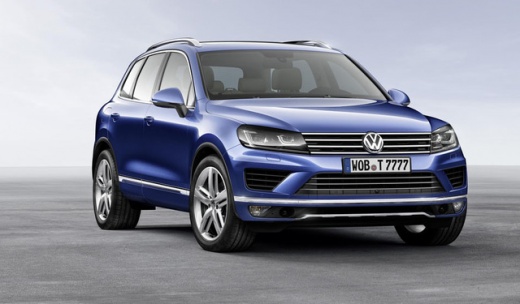
How to Restart the Radio in a Volkswagen Touareg?
Model: Volkswagen Touareg
MK 2, 7P
- Years:
2010, 2011, 2012, 2013, 2014, 2015, 2016, 2017, 2018
Video tutorial
If the radio in your Volkswagen Touareg shows signs of malfunction or if you have activated unwanted functions, you can perform a simple reset by following the procedure shown in this tutorial. First, ensure that it is powered on, then press and hold the "Phone", "Climate", "Nav", "Traffic" buttons and the central knob simultaneously. Within a few seconds, the radio will turn off, and you just need to wait for it to restart. If the reset does not resolve the issue, there may be a genuine fault, and a thorough inspection will be necessary.
Updated on 25 June 2026 by ScegliAuto
Related tutorials
Volkswagen Touareg
(2002-2010 /
7L, MK 1)
To replace the radio in a Volkswagen Touareg, insert the four special keys into the four holes located at the corners of the radio: once these four k…

Volkswagen Touareg
(2002-2010 /
7L, MK 1)
To disassemble the car radio, you need the appropriate extraction keys. Locate the slots at the four corners of the radio and insert the keys with th…

Volkswagen Touareg
(2010-2018 /
MK 2, 7P)
Resetting the tyre warning light on a Volkswagen Touareg, as shown in this tutorial, is an extremely simple and quick operation. Before proceeding, e…
Other guides you may be interested in |
How to Open the Fuel Flap on a Volkswagen Tiguan?
To open the fuel flap on a Volkswagen Tiguan, first unlock the car using the appropriate button on the remote. This will open the car and unlock the mechanism that controls the fuel flap. At this point, apply light pressure to the left side of the flap to open it and access the cap underneath. Once this is unscrewed, you can refuel and then close everything. by ScegliAuto More videos
|
|
For advertising on this site Write to info@scegliauto.com
ScegliAuto is not responsible for any inaccuracy of the data in the lists. To report any inaccuracy or your business (if you own the business in question), please write to info@scegliauto.com
Number of seconds to generate the page: 0.144
(c) ScegliAuto 2026 - info@scegliauto.com - Privacy policy VAT number: IT01247470535 |
