
|
Do it yourself
| |||
| ||||


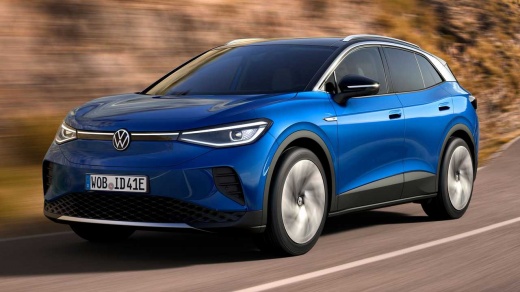
How to Unlock the Radio Screen in the Volkswagen Id 4?
Model: Volkswagen Id 4
MK 1
- Years:
2020, 2021, 2022, 2023, 2024, 2025, 2026
Video tutorial
The radio screen has frozen and no longer allows you to use its various functions. What should you do now? Should you contact the dealer? Don't worry, fortunately, it is not necessary to spend money to solve this problem, and it can be done by yourself in just twenty seconds of your time. The procedure is simple and allows you to resolve most issues with your radio: it involves holding down the power button of the radio for at least 10 seconds and then waiting for it to perform a forced restart and return to functioning as before.
Updated on 16 July 2026 by ScegliAuto
Related tutorials
Volkswagen Id 4
(2020-2026 /
MK 1)
The Volkswagen ID 4 is an electric vehicle powered by batteries that must be charged from the mains via an external socket covered by a flap. The ope…

Volkswagen Id 4
(2020-2026 /
MK 1)
To reset the infotainment system of the Volkswagen ID.4, turn on the instrument cluster by inserting the ignition key into the corresponding slot: on…

Volkswagen Id 4
(2020-2026 /
MK 1)
To use the settings menu on a Volkswagen ID.4, turn on the vehicle and activate the central display. Tap the "Menu" icon on the main screen to access…
Other guides you may be interested in |
How to Remove the Toll Tag Holder from the Windscreen Without Damaging the Glass
Removing stickers or tags from your car's glass without damaging the windscreen has always been a problem. Especially if we attach it - as we should - at the top of the windscreen, where the "black dots" are, which is the unshielded part of the windscreen designed for this type of device, whether it be a toll tag, GoPro, cameras, or otherwise. We found this product that seems suitable, specifically designed for this purpose, and it also thoroughly removes dirt, grease, oil, and antifreeze salt from plastic surfaces. You can find it on the ATG website or on Amazon. by ScegliAuto More videos
|
|
For advertising on this site Write to info@scegliauto.com
ScegliAuto is not responsible for any inaccuracy of the data in the lists. To report any inaccuracy or your business (if you own the business in question), please write to info@scegliauto.com
Number of seconds to generate the page: 0.010
(c) ScegliAuto 2026 - info@scegliauto.com - Privacy policy VAT number: IT01247470535 |
