
|
Do it yourself
| |||
| ||||


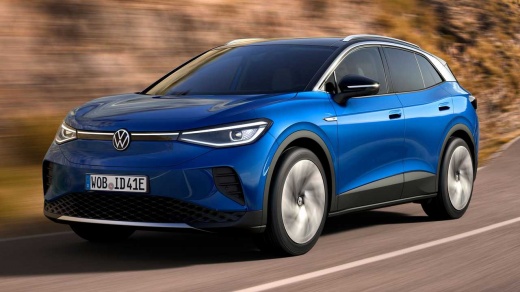
How to Use the Settings Menu in a Volkswagen ID.4
Model: Volkswagen Id 4
MK 1
- Years 2020-2026
To use the settings menu on a Volkswagen ID.4, turn on the vehicle and activate the central display. Tap the "Menu" icon on the main screen to access the available functions. Select the "Settings" option to enter the vehicle configuration panel. From here, you can scroll through the various sections, such as vehicle, driving assistance, lighting, climate, and multimedia system. Tap the desired section to view the available options and modify the parameters using the touch controls on the screen. After making the changes, return to the main screen by pressing the Home icon. The selected settings are automatically saved by the system.
Posted on 26 April 2026 by ScegliAuto
Video tutorial
Related tutorials
Volkswagen Id 4
(2020-2026 /
MK 1)
If you own a 2021 Volkswagen ID 4 and want to manually reset the tire pressure warning light, all you have to do is follow the procedure described be…

Volkswagen Id 4
(2020-2026 /
MK 1)
These brief and simple steps will allow you to use the tyre repair kit in case of a puncture on a Volkswagen ID 4. First, open the rear tailgate of t…

Volkswagen Id 4
(2020-2026 /
MK 1)
In this brief guide, we will see the steps that allow us to temporarily activate and deactivate the lane assist on the Volkswagen ID 4. First, get in…
Other guides you may be interested in
|
How to reset the tyre pressure warning light on the Dacia Sandero?
To reset the tyre pressure warning light on the Dacia Sandero, inflate all the tyres to the pressure indicated on the label on the driver's door. Once the tyres are inflated, turn on the ignition and navigate through the menu using the controls on the right side of the steering wheel. Scroll with the arrows to find the tyre pressure option: by holding down the OK button located on the right side of the steering wheel, you can reset the warning light. by ScegliAuto More videos
|
|
For advertising on this site Write to info@scegliauto.com
ScegliAuto is not responsible for any inaccuracy of the data in the lists. To report any inaccuracy or your business (if you own the business in question), please write to info@scegliauto.com
Number of seconds to generate the page: 0.052
(c) ScegliAuto 2026 - info@scegliauto.com - Privacy policy VAT number: IT01247470535 |
