
|
Do it yourself
| |||
| ||||


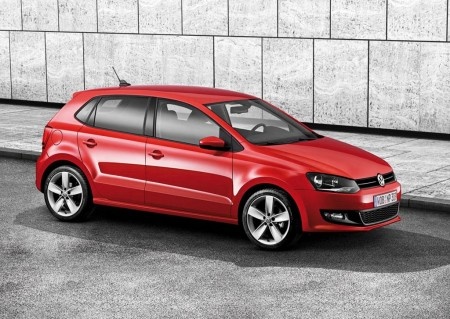
How to Wrap the Badge of Your Volkswagen Polo for Free
Model: Volkswagen Polo
6R, MK V, Polo 5, Polo V, MK 5
- Years:
2009, 2010, 2011, 2012, 2013, 2014, 2015, 2016, 2017
Video tutorial
In this video, we see a clever YouTuber demonstrating how to create a glossy/matte black badge for your Volkswagen Polo at almost no cost. Remove the front badge and carefully cover the "vw" badge with textured plastic. Then, using a piece of vinyl (not too large) and a common hairdryer, you can wrap the round shield of the badge. Once the vinyl is applied and finished on the back, carefully cut out the letter "VW" and apply it to the glossy side of the vinyl. The result is what you see at the end of the video.
Updated on 20 July 2026 by ScegliAuto
Related tutorials
Volkswagen Polo
(2017-2025 /
MK 6, Polo 6, AW1, MK VI, Polo VI)
In this video, see how to remove the Volkswagen badge from the front of the MK6 Polo. This is a relatively simple operation, although it must be done…

Volkswagen Polo
(2009-2017 /
6R, MK V, Polo 5, Polo V, MK 5)
In this video, see how to install some very nice and cheerful mats for the Volkswagen Polo V. More than just mats, these are actually covers made of …

Volkswagen Polo
(2009-2017 /
6R, MK V, Polo 5, Polo V, MK 5)
This guide shows you how to open the rear boot lid of the Volkswagen Polo, following the instructions below. First, take your remote control and star…
Other guides you may be interested in |
How to Activate Cruise Control on the Peugeot 3008
Today's steps will show you how to activate cruise control on the Peugeot 3008, following the instructions below. First, get into the vehicle and start the engine. To activate cruise control, you must reach a minimum speed. Then, activate cruise control using the central button on the left stalk, adjusting the speed with the buttons; use the dial to set the speed limit. Pressing the brake pedal will automatically disable the cruise control system. by ScegliAuto More videos
|
|
For advertising on this site Write to info@scegliauto.com
ScegliAuto is not responsible for any inaccuracy of the data in the lists. To report any inaccuracy or your business (if you own the business in question), please write to info@scegliauto.com
Number of seconds to generate the page: 0.019
(c) ScegliAuto 2026 - info@scegliauto.com - Privacy policy VAT number: IT01247470535 |
