
|
Do it yourself
| |||
| ||||


How to Replace the Third Brake Light Bulb on a Volkswagen Polo?
Model: Volkswagen Polo
MK IV, Polo 4, 9N, MK 4, Polo IV
- Years:
2001, 2002, 2003, 2004, 2005, 2006, 2007, 2008, 2009
Video tutorial
To replace the third brake light bulb on a Volkswagen Polo, open the tailgate to access the screws securing the interior trim. Once these screws are loosened, completely detach the tailgate to access the interior of the third brake light. Disconnect the connector to remove the light and take out the bulb. Replace it with a new one, then refit the light and reinstall the tailgate trim.
Updated on 11 October 2026 by ScegliAuto
Related tutorials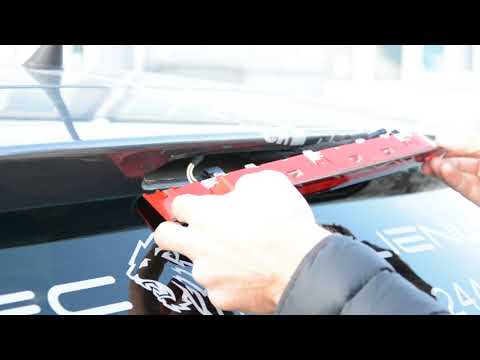
Volkswagen Polo
(2009-2017 /
6R, MK V, Polo 5, Polo V, MK 5)
To replace the third brake light bulb on the Volkswagen Polo, detach the light unit by using a lever tool to extract it from its housing. Once remove…
Volkswagen Polo
(2001-2009 /
MK IV, Polo 4, 9N, MK 4, Polo IV)
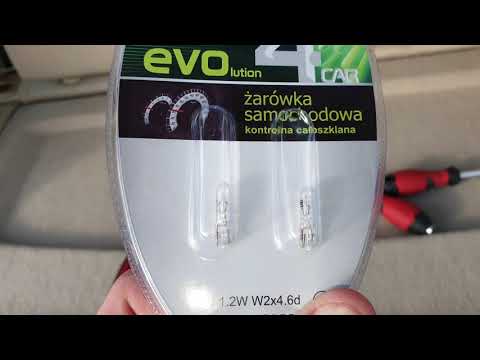
In this tutorial, see how to replace the third brake light bulbs on the Volkswagen Polo, a very simple and quick task. Before proceeding, ensure that…

Volkswagen Polo
(2001-2009 /
MK IV, Polo 4, 9N, MK 4, Polo IV)
In this video tutorial, learn how to disassemble and replace the third brake light bulbs on the Volkswagen Polo 9N2, fourth generation, in simple and…
Other guides you may be interested in
|
How to Set the Clock on the 2024 Toyota Aygo X
The steps to set the clock on the onboard computer of a 2024 Toyota Aygo X are simple and quick to perform independently. First, turn on the instrument cluster of the vehicle. Second, press the menu button on the onboard computer. Third, select the "configuration" option from the onboard computer. Fourth, select the "clock" option to set the desired hours and minutes. Fifth, return to the main menu and restart the instrument cluster. by ScegliAuto More videos
|
|
For advertising on this site Write to info@scegliauto.com
ScegliAuto is not responsible for any inaccuracy of the data in the lists. To report any inaccuracy or your business (if you own the business in question), please write to info@scegliauto.com
Number of seconds to generate the page: 0.029
(c) ScegliAuto 2026 - info@scegliauto.com - Privacy policy VAT number: IT01247470535 |
