
|
Do it yourself
| |||
| ||||


Model: Yamaha Mt 07
Today we will see the instructions that will allow us to set the time on the display of the instrument panel of the Yamaha MT 07 motorcycle. First of all, put the motorcycle on the stand and turn on the instrument panel; then press and hold the instrument panel setting button until the clock display starts flashing, as shown in the video. At this point, use the other button to first change the hour, then move on to the minutes to perform the same operation; turn off the panel and start the engine, checking that the time has been correctly set!
Posted on 22 January 2025 by ScegliAuto
Video tutorial
Related tutorials
Mt 07
In this tutorial we can see how to adjust the time on the Yamaha MT-07, an extremely simple and quick operation, to be carried out for example after …

Mt 07
In this tutorial, we will see how to adjust the time on the Yamaha MT-07, a very simple and quick operation to perform, for example, after disconnect…

Mt 07
This tutorial shows how to set the time on a Yamaha MT-07, a very simple and quick operation to perform after disconnecting the battery or after the …
|
How to replace the engine oil in the Ducati Monster S2R 1000?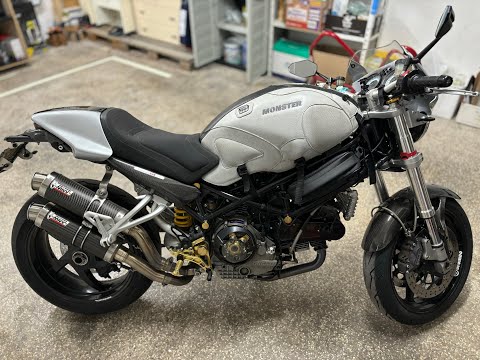
In this tutorial we can see how to replace the motor oil in the Ducati Monster S2R 1000, an extremely simple and fast operation. First of all, make sure that the engine is cold enough, then place a container underneath it, locate the drain plug and unscrew it using a hex key. Next, unscrew the cap of the secondary filter, remove it and clean it from any dirt residue. At this point, all that remains is to unscrew the main filter, tighten the replacement, reassemble everything and pour in the new oil through the appropriate hole. by ScegliAuto More videos
|
|
For advertising on this site Write to info@scegliauto.com
ScegliAuto is not responsible for any inaccuracy of the data in the lists. To report any inaccuracy or your business (if you own the business in question), please write to info@scegliauto.com
Number of seconds to generate the page: 0.309
(c) ScegliAuto 2026 - info@scegliauto.com - Privacy policy VAT number: IT01247470535 |
