
|
Do it yourself
| |||
| ||||


Fuse box schema and positioning of the Yamaha Xmax 250
Model: Yamaha Xmax 250
Video tutorial
Below we will see the diagram and positioning of the fuses of the Yamaha Xmax 250 scooter. First, we put our scooter on the center stand and start disassembling and removing the front plastic panel or fairing, unscrewing the fixing screws; on the back we will find the small fuse box, opening the cover to access it, as shown in the video. On the inside of the cover we find the diagram and fuse diagram, also present in the user manual; it will therefore be possible to identify the codes and amperages of the fuses, useful for replacement.
Posted on 23 February 2025 by ScegliAuto
Related tutorials
Xmax 250
The instructions in this guide will show you the positioning and diagram of the fuse boxes for the Yamaha Xmax 250 scooter. First, place the scooter …

Xmax 250
The fuses on a Yamaha Xmax 250 are contained within the dedicated fuse box installed on the vehicle: in this case, the box is located at the rear of …
Xmax 250
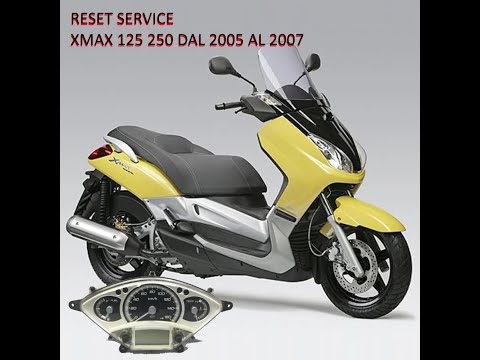
You can manually reset the service light on the dashboard of your Yamaha XMax 250 without any difficulty, even if you are on your own. Follow the ste…
|
How to Set the Time on a Kymco DTX360?
To set the time on a Kymco DTX360, follow these steps. First, turn on the scooter and ensure it is in time display mode on the dashboard. Once you find this mode, press and hold the button for setting the time, located on the scooter's handlebars. After a few seconds, the display will start to flash, indicating that you can now adjust the time. Use the adjustment buttons to increase or decrease the hour until you reach the desired time. When you have set the correct time, press the time setting button again to confirm your selection. The display will stop flashing and the time will be set correctly. Be sure to consult the owner's manual for specific instructions for your Kymco DTX360 model, as the procedure may vary slightly. by ScegliAuto More videos
|
|
For advertising on this site Write to info@scegliauto.com
ScegliAuto is not responsible for any inaccuracy of the data in the lists. To report any inaccuracy or your business (if you own the business in question), please write to info@scegliauto.com
Number of seconds to generate the page: 0.009
(c) ScegliAuto 2026 - info@scegliauto.com - Privacy policy VAT number: IT01247470535 |
