
|
Do it yourself
| |||
| ||||


|
Model: Yamaha Xmax 125
The instructions in this guide will show you how to change the time on the display of the Yamaha Xmax 125 scooter's instrument panel. First, place the scooter on its centre stand and turn on the instrument panel; then press and hold the right button on the instrument panel until you enter the time setting (you will see the time flashing), as shown in the video. At this point, set the hour first and then the minutes, finally exiting the clock setting to save all the changes made!
Posted on 12 February 2026 by ScegliAuto
Video tutorial
Related tutorials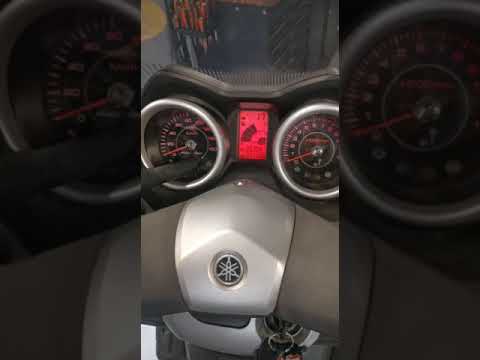
Xmax 125
Shortly we will see the steps that will allow us to adjust the time of the Yamaha Xmax 125 scooter, but also of the Xmax 250. First, we put the scoot…

Xmax 125
Adjusting the clock on the Yamaha Xmax 125 is a very simple and quick operation, which can be done independently thanks to our short video tutorial t…

Xmax 125
To adjust the clock of the Yamaha Xmax 125, it is necessary to insert the ignition key into its lock and turn it to turn on the instrument panel: onc…
|
How to Replace the Remote Battery in a Ducati
As shown in this tutorial, replacing the battery in the Ducati Monster 821 is an extremely simple and quick task. First, ensure the key is not inserted. Then locate the plastic cover at the bottom, just below the rear shock absorber, and remove it by unscrewing the respective side screws. If necessary, remove the seat to gain more working space. Once you have access to the battery, disconnect both terminals, support it through the indicated hole, and unscrew the lower fixing bolts. To fit the replacement, simply follow the reverse procedure. by ScegliAuto More videos
|
|
For advertising on this site Write to info@scegliauto.com
ScegliAuto is not responsible for any inaccuracy of the data in the lists. To report any inaccuracy or your business (if you own the business in question), please write to info@scegliauto.com
Number of seconds to generate the page: 0.008
(c) ScegliAuto 2026 - info@scegliauto.com - Privacy policy VAT number: IT01247470535 |
