
|
Do it yourself
| |||
| ||||


Model: Yamaha Mt 03
In this tutorial, you will see how to reset the service on a Yamaha MT-03, an extremely simple and quick operation, to be performed only after completing all scheduled maintenance tasks. First, insert the key, then turn on the instrument cluster and, using the left button on the dashboard, navigate to the mileage related to the service. Next, hold down the right button until the screen starts to flash, hold it down a second time and keep it pressed for the necessary time until the interval resets correctly.
Posted on 5 March 2026 by ScegliAuto
Video tutorial
Related tutorials
Mt 03
In this tutorial, we will see how to reset the oil service indicator on the Yamaha MT-03, a very simple and quick operation that should be done only …

Mt 03
These short and simple instructions will guide us through the process of resetting the service maintenance light for the oil change on the Yamaha MT-…

Mt 03
In this tutorial, you will see how to adjust the time on a Yamaha MT-03, a very simple and quick operation to perform, for example, after disconnecti…
|
How do you reset the Oil Check light on the Sym VF 185?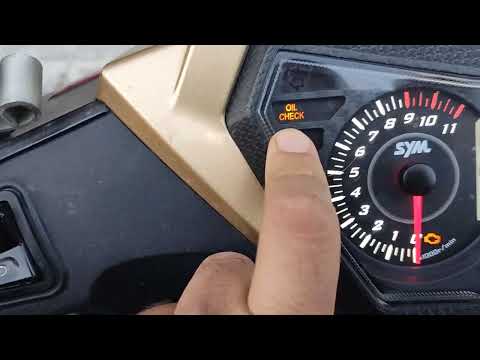
In order to reset the Oil Check light on the Sym VF 185, you need to turn on the instrument panel by turning the key in the ignition switch. Once the panel is on, you can press and hold the button located at the bottom right of the instrument panel for a few seconds. You will need to continue holding the button for a few seconds and then release it before pressing the next button. This will make the Oil Check light disappear from the instrument panel, and you can turn it off again by turning the key in the opposite direction. by ScegliAuto More videos
|
|
For advertising on this site Write to info@scegliauto.com
ScegliAuto is not responsible for any inaccuracy of the data in the lists. To report any inaccuracy or your business (if you own the business in question), please write to info@scegliauto.com
Number of seconds to generate the page: 0.009
(c) ScegliAuto 2026 - info@scegliauto.com - Privacy policy VAT number: IT01247470535 |
