
|
Do it yourself
| |||
| ||||


|
Model: Yamaha Tenere 700
To replace the rear brake pads on a Yamaha Tenere 700, you will need a screwdriver and a hammer to remove the pin to which the pads are attached. Position the screwdriver against the pin and tap it with the hammer to extract the pin from the opposite side. Once the pin is removed, the pads can be easily taken out and replaced with new spare parts. To secure the new pads, reinsert their fixing pin. After the replacement, check the proper functioning of the rear brake.
Updated on 14 May 2026 by ScegliAuto
Video tutorial
Related tutorials
Tenere 700
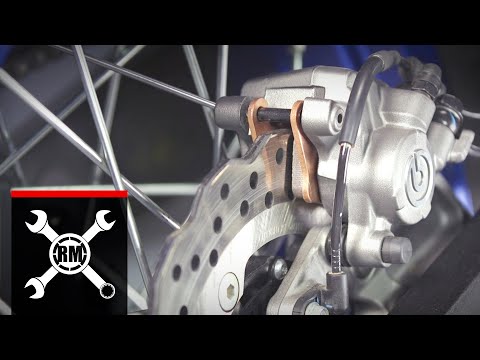
To replace the rear brake pads on a Yamaha Ténéré 700, you need to unscrew the bolt that secures the brake caliper to the disc corresponding to the p…
Tenere 700
The procedure for replacing the brake pads on the Yamaha Ténéré is the same for both the front and rear brakes. You need to remove the pin from the t…

Tenere 700
Today's tutorial will show you the main steps on how to remove and replace the front wheel of the Yamaha Tenere 700 enduro motorcycle. First, place t…
|
How to Replace the Battery on the Sym VF3i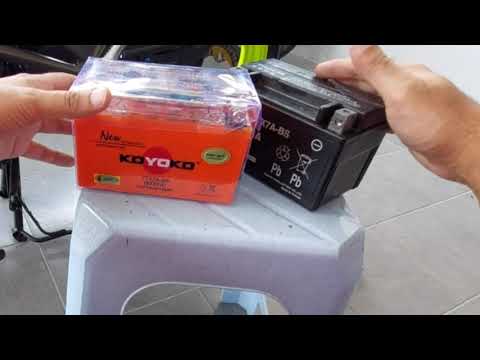
To replace the battery on the Sym VF3i, lift the seat by unlocking the designated lock: at the front of the under-seat compartment, you will find a plastic cover that needs to be removed. Once removed, you can access the battery underneath, which must be freed from the securing screws and the power cables. After the device has been removed, insert the new replacement part, connecting the cables and securing it with the appropriate screws. After installation, cover it with the previously removed plastic panel. by ScegliAuto More videos
|
|
For advertising on this site Write to info@scegliauto.com
ScegliAuto is not responsible for any inaccuracy of the data in the lists. To report any inaccuracy or your business (if you own the business in question), please write to info@scegliauto.com
Number of seconds to generate the page: 0.286
(c) ScegliAuto 2026 - info@scegliauto.com - Privacy policy VAT number: IT01247470535 |
