
|
Do it yourself
| |||
| ||||


Model: Yamaha Mt 09
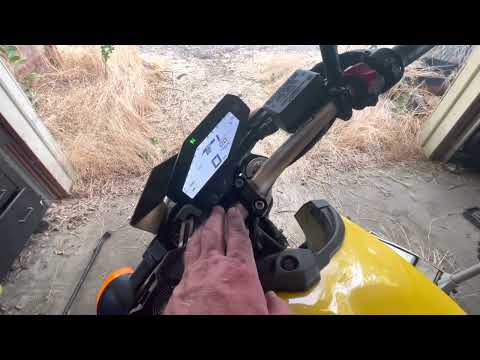
If the time displayed on your Yamaha MT 09 is incorrect and you want to change it manually, follow these steps. First, turn off your motorcycle and place it on the stand. Once done, insert the key and turn on the instrument cluster. Use the knob located at the bottom of the right-hand knob to position the cursor on the settings icon. Select it, and once in the new menu, enter "Clock". Now, simply modify the hour and minute digits. Finally, exit the menu to save the changes.
Updated on 29 July 2026 by ScegliAuto
Video tutorial
Related tutorials
Mt 09
In this tutorial, see how to set the time on a Yamaha MT-09, a very simple and quick operation to perform, for example, after disconnecting the batte…

Mt 09
The clock on the Yamaha MT-09 can be adjusted by turning on the instrument panel, inserting the key into the ignition switch: once the instrument pan…
Mt 09
To set the clock on the Yamaha MT-09, turn the key to switch on the instrument panel, allowing you to use the controls on the panel itself: press and…
|
How to replace the engine oil in the Kawasaki Versys 1000?
As we can see in this tutorial, replacing the motor oil in the Kawasaki Versys 1000 is an extremely simple and fast operation. First of all, make sure that the engine is cool enough, then position a container under the motorcycle and, using a socket wrench, unscrew the drain plug. Wait for all the oil in the system to completely drain out, remove the lower front cover and unscrew the old filter. At this point, we can tighten the replacement, reassemble everything and pour in the new oil through the appropriate hole. by ScegliAuto More videos
|
|
For advertising on this site Write to info@scegliauto.com
ScegliAuto is not responsible for any inaccuracy of the data in the lists. To report any inaccuracy or your business (if you own the business in question), please write to info@scegliauto.com
Number of seconds to generate the page: 0.006
(c) ScegliAuto 2026 - info@scegliauto.com - Privacy policy VAT number: IT01247470535 |
