
|
Do it yourself
| |||
| ||||


Acura Acura Various - Video guides Acura Acura Various How to Reset the Service Light (Oil Change) on an Acura MDX Today's information will allow us to reset the maintenance reminder for the engine oil change (service) on an Acura MDX. First, get into the vehicle and start …Read all… Posted on 29 March 2026 by ScegliAuto  Acura Acura Various How to Set the Clock on the Acura Instrument Cluster To set the clock on the instrument cluster and the onboard computer of the Acura vehicle, turn on the instrument cluster and press the menu button next to the …Read all… Posted on 15 March 2026 by ScegliAuto  Acura Acura Various How to replace the headlight bulb of the 2011 Acura MDX. Replacing the headlight bulb of the 2011 Acura MDX is a somewhat complex task to do on your own. To perform this operation, you will need to remove part of the …Read all… Posted on 1 January 2026 by ScegliAuto  Acura Acura Various How to adjust the door on the Acura CL? In this tutorial we can see how to adjust the door on the Acura CL, an extremely simple and quick operation. First of all, we take note of the closed position …Read all… Posted on 6 September 2025 by ScegliAuto  Acura Acura Various How to reset the oil light on the Acura MDX Today we will explain how to reset the oil light on a 2007 Acura MDX in a simple and fast way. To reset the light, we need to turn on the instrument panel and …Read all… Posted on 23 July 2025 by ScegliAuto  Acura Acura Various How to disassemble the storage compartment drawer in the Acura TSX? In this tutorial we can see how to disassemble the glove compartment in the Acura TSX, an extremely simple and quick operation, to be carried out for example …Read all… Posted on 2 July 2025 by ScegliAuto  Acura Acura Various How to replace the battery in the Acura MDX key. If the key of your Acura MDX has suddenly stopped working due to a completely drained battery, then you must follow the following steps in order to replace it …Read all… Posted on 8 June 2025 by ScegliAuto  Acura Acura Various How to replace the battery of the Acura ZDX key. In this new guide you will find the procedure that allows you to correctly replace the small button battery located inside the key of your new Acura ZDX. First …Read all… Posted on 7 April 2025 by ScegliAuto  Acura Acura Various How to reset the oil light on the 2017 Acura MDX The oil warning light reset must be performed when we have carried out the car service or just the engine oil replacement on our vehicle. Today we will show …Read all… Posted on 3 March 2025 by ScegliAuto  Acura Acura Various How to manually reset the maintenance light on the 2005 Acura MDX In this new mini guide aimed at all of you who own a 2005 Acura MDX, we will discover the various steps you need to follow in order to reset the maintenance …Read all… Posted on 15 January 2025 by ScegliAuto  Acura Acura Various How to Open a Stuck Fuel Door on an Acura MDX? On the Acura MDX, the fuel door may get stuck or show signs of malfunction, possibly due to a failure of the control button or the locking actuator. In these …Read all… Posted on 8 October 2026 by ScegliAuto  Acura Acura Various How to Reset the Service Light on a 2005 Acura TL If you own a 2005 Acura TL and want to know how to manually reset the service light, follow these steps. First, turn on the ignition and press the right arrow …Read all… Posted on 27 September 2026 by ScegliAuto  Acura Acura Various How to Reset the Oil Light on the 2023 Acura Integra In this guide, discover the steps to manually reset the oil light on the instrument cluster of your new 2023 Acura Integra. First, insert the key and turn on …Read all… Posted on 26 September 2026 by ScegliAuto 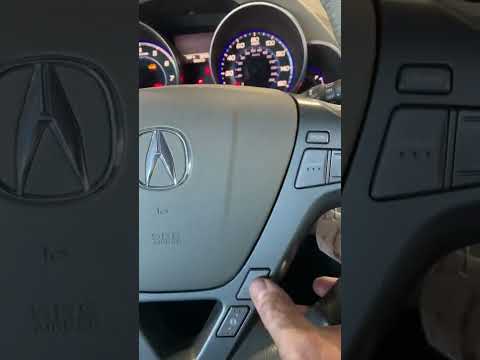 Acura Acura Various How to Reset the Service Light on a 2007 Acura MDX Today, learn how to reset the service light on a 2007 Acura MDX. To reset the service light, first turn on the instrument cluster and then press the Menu …Read all… Posted on 23 September 2026 by ScegliAuto 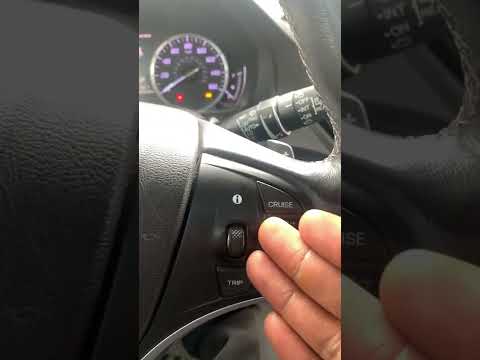 Acura Acura Various How to Reset the Service Light on a 2014 Acura MDX Resetting the service light on a 2014 Acura MDX is a simple task that can be done in a few minutes on your own, directly from the vehicle's onboard computer. …Read all… Posted on 23 September 2026 by ScegliAuto  Acura Acura Various How to Reset the Maintenance Light on a 2008 Acura MDX If the maintenance light on the instrument panel of your 2008 Acura MDX comes on despite having recently serviced the vehicle, follow these steps to manually …Read all… Posted on 10 September 2026 by ScegliAuto 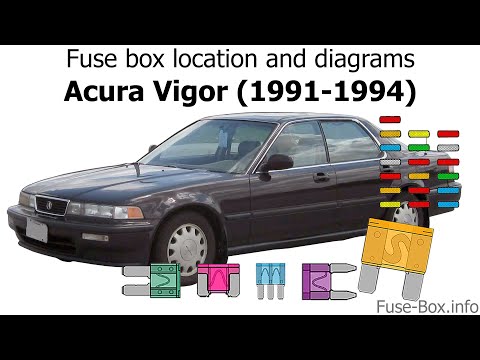 Acura Acura Various Where to Find the Fuse Box on an Acura Vigor To locate the fuse box in your Acura Vigor (1991-1994), follow the steps outlined in this guide. First, go inside the cabin and reach the driver's seat. Next, …Read all… Posted on 3 September 2026 by ScegliAuto 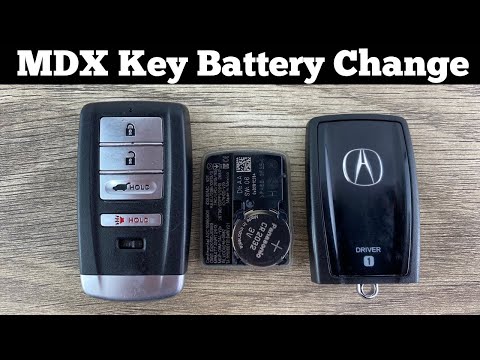 Acura Acura Various Replacing the Battery in My Acura MDX Key Fob Today, discover the procedure to dismantle and replace the battery in the remote key fob of the Acura MDX. First, take your remote and remove the physical key …Read all… Posted on 21 August 2026 by ScegliAuto  Acura Acura Various How to Reset the Oil Light on an Acura TSX To manually reset the oil light on a 2011 Acura TSX, simply follow this procedure. First, enter the cabin and start the ignition by pressing the appropriate …Read all… Posted on 18 August 2026 by ScegliAuto  Acura Acura Various How to Reset the Maintenance Light on a 2017 Acura MDX In this mini guide for all owners of a 2017 Acura MDX, follow these steps to correctly reset the maintenance light on the instrument cluster. First, turn on …Read all… Posted on 15 August 2026 by ScegliAuto
Glove compartment (2)
Key (8)
Cabin air filter (2)
Oil filter (1)
Headlight bulb (1)
Clock (1)
Car door (1)
Fuse box (4)
Warning light – error code (7)
Service warning light (12)
Fuel cap (1)
Steering wheel (1)
|
How to Set the Time in an Audi A4?
In this tutorial, you will see how to set the time in an Audi A4, a very simple and quick operation to perform after replacing the battery or when the time changes. First, insert the key and turn on the instrument cluster. Then, press the "SETUP" button located on the center console. Next, press the upper left arrow button, navigate to the "Time" option, and use the central knob to adjust the clock. Finally, set any necessary formats and save by returning to the main screen. by ScegliAuto More videos
|
|
For advertising on this site Write to info@scegliauto.com
ScegliAuto is not responsible for any inaccuracy of the data in the lists. To report any inaccuracy or your business (if you own the business in question), please write to info@scegliauto.com
Number of seconds to generate the page: 0.009
(c) ScegliAuto 2026 - info@scegliauto.com - Privacy policy VAT number: IT01247470535 |
