
|
Do it yourself
| |||
| ||||


Alfa Romeo Tonale - Instrument clusterInstrument Cluster Alfa Romeo Tonale (2022-2029 / mk 1) Alfa Romeo Tonale (2022-2026 / MK 1)
How to customize the infotainment system of the Alfa Romeo Tonale In this video, we can see how to customize the infotainment system of the Alfa Romeo Tonale, in order to create a second page. At the bottom of the multimedia …Read all… Posted on 25 January 2025 by ScegliAuto  Alfa Romeo Tonale (2022-2026 / MK 1)
How to display widgets on the Alfa Romeo Tonale dashboard In this video we can see how to view the widgets on the dashboard of the Alfa Romeo Tonale. In fact, if we scroll on the right screen using the scroll wheel …Read all… Posted on 11 September 2024 by ScegliAuto  Alfa Romeo Tonale (2022-2026 / MK 1)
How does the instrument panel of the Alfa Romeo Tonale work? In this video we see how the instrument panel of the Alfa Romeo Tonale works: to change the graphics of the Cockpit, we act from the windshield wiper lever. At …Read all… Posted on 23 July 2024 by ScegliAuto Key (2) Onboard computer (1) Checks and maintenance (3) Headlight bulb (1) Instrument cluster (3) Fuse box (2) Warning light – error code (1) (7) Tire pressure warning light (5) Service warning light (1) |
How to Open the Bonnet on a Dacia Sandero?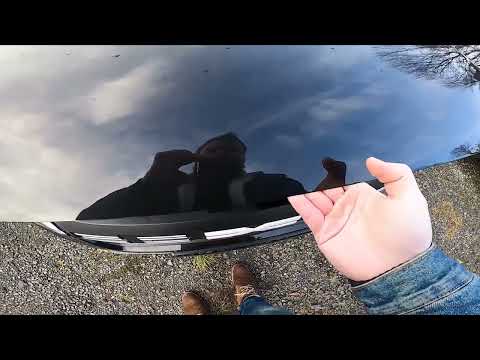
In this tutorial, you will see how to open the bonnet on a Dacia Sandero, a very simple operation that follows the typical procedure for most vehicles. First, unlock the catches using the remote control, then open the driver's door, locate the lever positioned in the lower left area of the dashboard, and pull it towards you. Next, move to the front of the vehicle, hold down the second lever, and simultaneously lift the bonnet. To close it, simply let it drop gently. by ScegliAuto More videos
|
|
For advertising on this site Write to info@scegliauto.com
ScegliAuto is not responsible for any inaccuracy of the data in the lists. To report any inaccuracy or your business (if you own the business in question), please write to info@scegliauto.com
Number of seconds to generate the page: 0.007
(c) ScegliAuto 2026 - info@scegliauto.com - Privacy policy VAT number: IT01247470535 |
