
|
Do it yourself
| |||
| ||||


How do you install the steering wheel cover in the Alfa Romeo 147?
Model: Alfa Romeo 147
MK 1
- Years 2000-2010
The steering wheel is one of the components most exposed to wear over time, such as scratches, discoloration of the leather, and more, unfortunately becoming unsightly. Fortunately, there is a remedy that does not involve replacing it, but rather the installation of a cover, specifically a steering wheel cover, which can be easily purchased at auto parts stores, both physical and online platforms dedicated to this. As can be seen in the attached video, the installation involves placing the cover on the steering wheel and then stitching it along the entire circumference using the needle and thread provided.
Posted on 15 December 2025 by ScegliAuto
Video tutorial
Related tutorials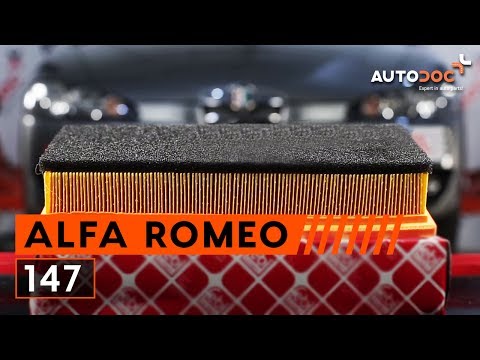
Alfa Romeo 147
(2000-2010 /
MK 1)
Today, you will learn how to remove and replace the engine air filter on an Alfa Romeo 147 Twin Spark. First, open and lift the bonnet and unscrew th…

Alfa Romeo 147
(2000-2010 /
MK 1)
To remove the steering wheel airbag on an Alfa Romeo 147, follow these steps. Before removing the steering wheel, disconnect the battery terminals. I…
Alfa Romeo 147
(2000-2010 /
MK 1)
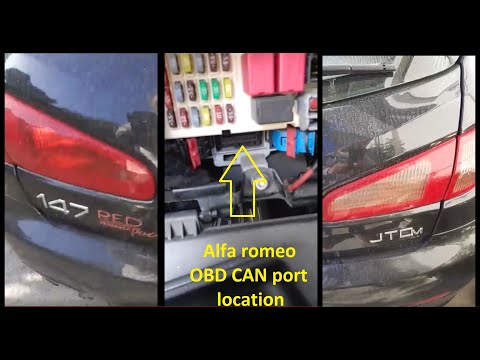
To easily and independently locate the OBD port inside your Alfa Romeo 147, follow the instructions in this mini guide. First, reach the driver's sid…
Other guides you may be interested in
|
How to Connect the Cables to the Battery of the Citroen Xsara Picasso?
In this tutorial, you will see how to connect the cables to the battery of the Citroen Xsara Picasso, useful if you need to recharge it or perform an emergency start. First, ensure the key is not inserted, then open the bonnet and move to the front of the left headlamp. Next, locate the bolt just behind the filter box and connect the positive terminal clamp to it. Now you can connect the negative terminal to any point on the chassis, such as the indicated point. Once the operation is complete, ensure you disconnect the negative first and then the positive. by ScegliAuto More videos
|
|
For advertising on this site Write to info@scegliauto.com
ScegliAuto is not responsible for any inaccuracy of the data in the lists. To report any inaccuracy or your business (if you own the business in question), please write to info@scegliauto.com
Number of seconds to generate the page: 0.086
(c) ScegliAuto 2026 - info@scegliauto.com - Privacy policy VAT number: IT01247470535 |
