
|
Do it yourself
| |||
| ||||


Model: Aprilia Sr 150
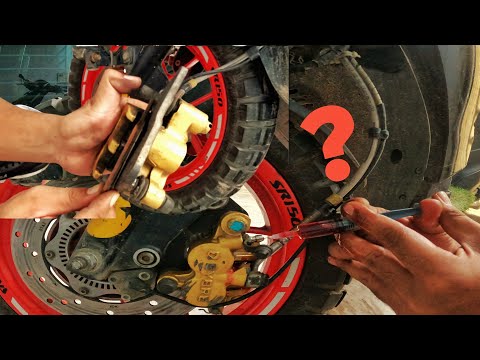
In order to replace the front brake pads of the Aprilia SR 150, you need to loosen the screws that secure the brake caliper to its housing: once these have been loosened, you can detach the brake caliper from the disc and remove the pin that locks the pads in place. Once the old pads have been removed from their housing, you can insert the new ones: these can now be secured with the appropriate pin to reposition the caliper on the disc and fasten it with the appropriate screws removed earlier.
Posted on 10 November 2025 by ScegliAuto
Video tutorial
Related tutorials
Sr 150
It will be possible to replace the front brake pads on the Aprilia SR 150 by unscrewing the screws that secure the brake caliper to its corresponding…
Sr 150
This guide shows how to remove and replace the front brake pads on an Aprilia SR 150 scooter, following the instructions below. First, place your sco…

Sr 150
Before starting, position your Aprilia SR 150 on the centre stand. Begin by undoing and removing the central nut that secures the front wheel axle. T…
|
How do you reset the Oil Check light on the Sym VF 185?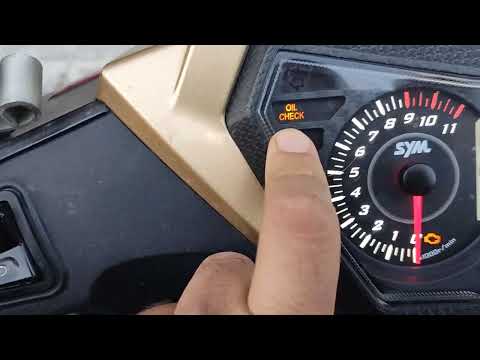
In order to reset the Oil Check light on the Sym VF 185, you need to turn on the instrument panel by turning the key in the ignition switch. Once the panel is on, you can press and hold the button located at the bottom right of the instrument panel for a few seconds. You will need to continue holding the button for a few seconds and then release it before pressing the next button. This will make the Oil Check light disappear from the instrument panel, and you can turn it off again by turning the key in the opposite direction. by ScegliAuto More videos
|
|
For advertising on this site Write to info@scegliauto.com
ScegliAuto is not responsible for any inaccuracy of the data in the lists. To report any inaccuracy or your business (if you own the business in question), please write to info@scegliauto.com
Number of seconds to generate the page: 0.005
(c) ScegliAuto 2026 - info@scegliauto.com - Privacy policy VAT number: IT01247470535 |
