
|
Do it yourself
| |||
| ||||


|
Model: Aprilia Tuono V4 1100rr
Let's briefly go over the instructions that will allow us to install the rear wheel of the Aprilia Tuono V4 1100RR in simple steps. First, we will install the components on the rim, as well as the tire and the sprocket; then we will install the wheel in the correct orientation, connecting the drive chain and inserting the wheel's central axle, as shown in the video. At this point, we reassemble and securely fasten the brake caliper onto the disc, tightening the central axle and finally adjusting the drive chain; all that's left is to clean and lubricate it.
Posted on 24 December 2025 by ScegliAuto
Video tutorial
Related tutorials
Tuono V4 1100rr
To replace the sliders on an Aprilia Tuono V4 1100RR, simply remove the old ones. Start with the rear wheel, where you can loosen the nut that secure…

Tuono V4 1100rr
On the exhaust of the Aprilia Tuono V4 1100RR, the replacement of the exhaust is carried out by unscrewing the screws that fix the exhaust to the res…
Tuono V4 1100rr
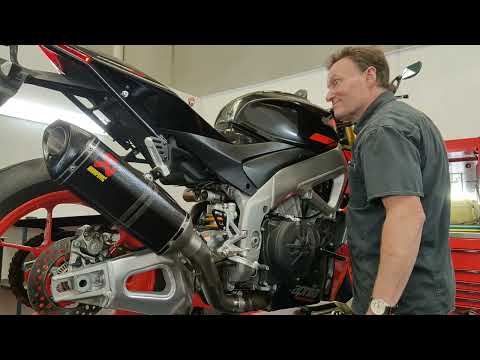
To replace the exhaust on the Aprilia Tuono V4 1100RR, loosen the screws that secure the exhaust to its supports, located at both the lower and upper…
|
How to Reset the Oil Light on a Honda PCX 160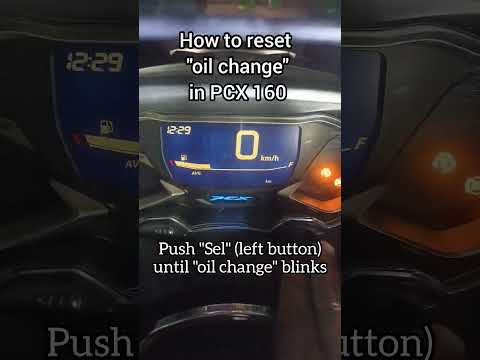
In this mini guide, discover the steps to manually reset the oil light on the central display of your Honda PCX 160. First, turn on the ignition with the key and press both the 'Sel' and 'Set' buttons located below it simultaneously. When the time starts to flash, hold 'Sel' until the oil indicator flashes, then press the 'Set' button once. To complete the reset, hold 'Sel' again until the operation is finished. by ScegliAuto More videos
|
|
For advertising on this site Write to info@scegliauto.com
ScegliAuto is not responsible for any inaccuracy of the data in the lists. To report any inaccuracy or your business (if you own the business in question), please write to info@scegliauto.com
Number of seconds to generate the page: 0.031
(c) ScegliAuto 2026 - info@scegliauto.com - Privacy policy VAT number: IT01247470535 |
