
|
Do it yourself
| |||
| ||||


Audi Q7 - Onboard computerOnboard Computer Audi Q7 (2015-2026 / mk 2, 4 m) Audi Q7 (2015-2026 / MK 2, 4M)
How to reset the MMI of Audi In this video, we will see how to reset the MMI, which is the integrated infotainment system of Audi: the reset system varies slightly depending on the model …Read all… Posted on 3 November 2025 by ScegliAuto  Audi Q7 (2006-2015 / 4L, MK 1)
How to activate Bluetooth on the Audi Q7 In this video, we see how to activate Bluetooth on the Audi Q7: we need to go to the central console and select the "media" button and from there go to the …Read all… Posted on 22 September 2025 by ScegliAuto  Audi Q7 (2015-2026 / MK 2, 4M)
How to reset the MMI multimedia system in the Audi Q7? In this tutorial we can see how to reset the onboard computer in the Audi Q7, an extremely simple and fast operation, to be carried out for example as an …Read all… Posted on 27 December 2024 by ScegliAuto 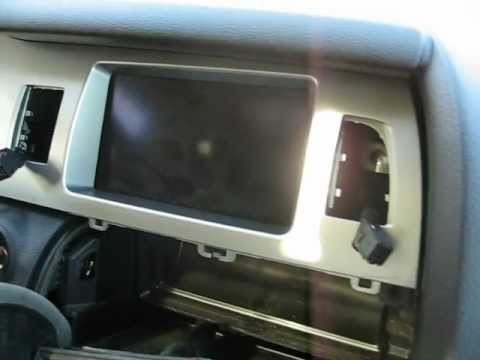 Audi Q7 (2006-2015 / 4L, MK 1)
How to Remove the Dashboard Display on Audi Q7 MK1 In this guide, discover how to remove the display or onboard computer located in the center of the dashboard on the first generation Audi Q7. First, get inside …Read all… Posted on 4 June 2026 by ScegliAuto Onboard Computer Audi Q7 (2006-2015 / 4 l, mk 1)
Audi Q7 (2015-2026 / MK 2, 4M)How to reset the MMI of Audi In this video, we will see how to reset the MMI, which is the integrated infotainment system of Audi: the reset system varies slightly depending on the model …Read all… Posted on 3 November 2025 by ScegliAuto
Audi Q7 (2006-2015 / 4L, MK 1)How to activate Bluetooth on the Audi Q7 In this video, we see how to activate Bluetooth on the Audi Q7: we need to go to the central console and select the "media" button and from there go to the …Read all… Posted on 22 September 2025 by ScegliAuto
Audi Q7 (2015-2026 / MK 2, 4M)How to reset the MMI multimedia system in the Audi Q7? In this tutorial we can see how to reset the onboard computer in the Audi Q7, an extremely simple and fast operation, to be carried out for example as an …Read all… Posted on 27 December 2024 by ScegliAuto
Audi Q7 (2006-2015 / 4L, MK 1)How to Remove the Dashboard Display on Audi Q7 MK1 In this guide, discover how to remove the display or onboard computer located in the center of the dashboard on the first generation Audi Q7. First, get inside …Read all… Posted on 4 June 2026 by ScegliAuto Airbag (1) Speaker (1) Car stereo (1) Anti-roll bar (1) Battery (7) Control arm (3) Body (1) Key (14) Timing belt (1) V-belt (1) Onboard computer (4) Checks and maintenance (5) Throttle body (1) Headlight (5) Tail light (1) Fog lights (1) Air filter (2) Cabin air filter (2) Accessory kit (1) Light bulb (2) Headlight bulb (1) Tail light bulb (3) Interior dome light bulb (2) License plate light (2) Handle (4) Starter motor (3) Clock (2) Door trim panel (2) Front bumper (3) Rear bumper (2) Brake pads (1) Fuel pump (1) Fuse box (16) Seat (4) Door lock (2) Side mirror (5) AdBlue warning light (4) Warning light – error code (9) (12) Tire pressure warning light (2) Service warning light (14) Fuel cap (1) Center console tunnel (1) Blower motor (2) Side window (1) Steering wheel (1) |
Fuses Location and Diagram for the Volkswagen Crafter
In this guide, we will look at the location of the fuse boxes and how to find their diagram for the Volkswagen Crafter. First, get inside the vehicle and start by removing the plastic cover found under the steering wheel, to access the internal fuse box; you will find another fuse box in the engine compartment by removing the plastic cover located next to the battery. At this point, use the owner's manual to find the fuse diagram, which will allow you to identify and replace any blown fuses with new ones! by ScegliAuto More videos
|
|
For advertising on this site Write to info@scegliauto.com
ScegliAuto is not responsible for any inaccuracy of the data in the lists. To report any inaccuracy or your business (if you own the business in question), please write to info@scegliauto.com
Number of seconds to generate the page: 0.011
(c) ScegliAuto 2026 - info@scegliauto.com - Privacy policy VAT number: IT01247470535 |
