
|
Do it yourself
| |||
| ||||


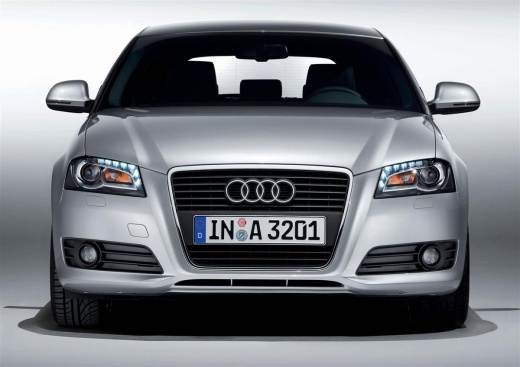
Installation of Daytime Running Lights
Model: Audi A3
8P, MK 2
- Years:
2003, 2004, 2005, 2006, 2007, 2008, 2009, 2010, 2011, 2012, 2013
Video tutorial
European regulations require headlights to be on even during the day. To avoid frequently replacing expensive bulbs and reduce fuel consumption, you can install an LED headlight kit, which has a long lifespan and low consumption. Once you have obtained the headlight kit, proceed with the installation. The headlights should be installed at a height between 25 cm and 150 cm from the ground, and the distance between the two headlights must be at least 60 cm. Once the correct position is found, proceed to install the plastic supports where the headlights will be inserted. These headlights require a control unit that must be mounted inside the engine bay in a suitable position. After connecting the cables from the headlights to the control unit, connect the black wire to the negative terminal of the battery and the red wire to the positive terminal. At this point, it is necessary to run a wire into the cabin to connect a switch for turning the headlights on and off. Remember to turn them off when parking the vehicle.
Updated on 4 February 2026 by ScegliAuto
Related tutorials
Audi A3
(2012-2019 /
8V, MK 3)
In this video we can see how to replace the reverse light bulb on an Audi A3 8V: on this model, the headlight is divided into two halves, one part re…
Audi A3
(2012-2019 /
8V, MK 3)
To turn on the lights of the Audi A3, use the knob located on the dashboard, immediately to the left of the steering wheel: this knob must be rotated…
Audi A3
(2003-2013 /
8P, MK 2)
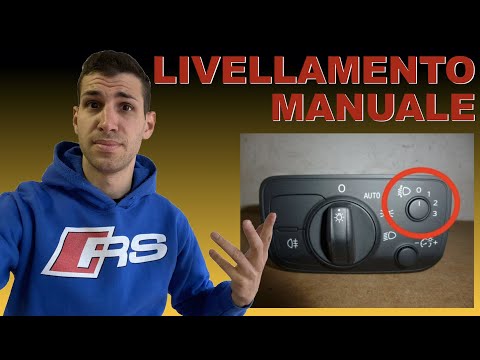
The purpose of this video tutorial, which is also well described verbally, is to show the installation of the headlight height adjustment wheel for x…
Other guides you may be interested in
|
Frequently Asked QuestionsHow to Reset the AdBlue Warning Light on a Peugeot Boxer
To reset the AdBlue system on a 2018 Peugeot Boxer, follow these steps: Start the engine and ensure the vehicle is parked in a well-ventilated area. Locate the "MENU" button on the dashboard or steering wheel controls. Press and hold the "MENU" button until the menu options appear on the display. Use the arrow buttons or scroll wheel to access the "Vehicle Settings" or "Settings" menu. Select the "AdBlue" or "AdBlue System" option. Look for the "Recharge" or "Reset" option in the AdBlue menu. Once you find the reset option, select it and confirm your choice when prompted. The system will be reset, and a confirmation message may appear on the display. Turn off the engine and wait a few seconds. Restart the engine and check that the AdBlue system has been reset. by ScegliAuto More videos
|
|
For advertising on this site Write to info@scegliauto.com
ScegliAuto is not responsible for any inaccuracy of the data in the lists. To report any inaccuracy or your business (if you own the business in question), please write to info@scegliauto.com
Number of seconds to generate the page: 0.946
(c) ScegliAuto 2026 - info@scegliauto.com - Privacy policy VAT number: IT01247470535 |
