
|
Do it yourself
| |||
| ||||



How to Reset the Tire Pressure Light on an Audi A4
Model: Audi A4
- Years:
2007, 2008, 2009, 2010, 2011, 2012, 2013, 2014, 2015, 2016
Video tutorial
Let's look at the information regarding resetting the tire pressure light on an Audi A4; before recalibrating the TPMS sensors, ensure that all four tires are at the proper operating pressure. Then, get inside the vehicle and turn on the ignition; from the center console, press the vehicle settings button, scrolling down the options until you reach the tire pressure section. Simply confirm and proceed to recalibrate the TPMS sensors, thus resetting the warning light.
Posted on 5 November 2026 by ScegliAuto
Related tutorials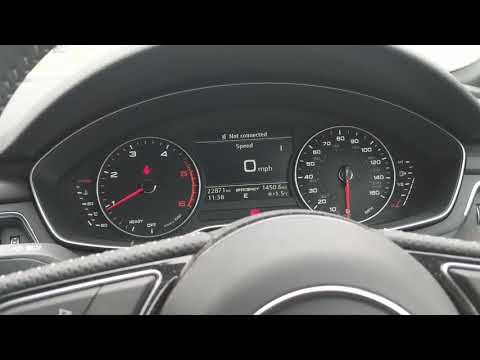
Audi A4
(2014-2024 /
B9)
To reset the tire pressure light on an Audi A4, turn on the ignition by selecting "Car" on the display in the center of the dashboard. You will need …

Audi A4
(2014-2024 /
B9)
Let's see the instructions that will show us how to reset the TPMS sensors of the Audi A4; before performing the reset of the pressure indicator, it …

Audi A4
(2014-2024 /
B9)
Today, you will learn how to reset the tire pressure light on the Audi A4. Before resetting the TPMS sensors, ensure all four tires are at the proper…
Other guides you may be interested in |
How to Activate the Automatic Folding and Unfolding of the Wing Mirrors on the Jeep Compass
Follow these brief instructions to activate the automatic folding and unfolding of the external wing mirrors on the Jeep Compass. First, get inside the vehicle and turn on the ignition; then press the button located beneath the mirror glass adjustment to electrically open the mirror, as shown in the video. Pressing the button in the opposite direction will close the mirrors; by holding the button, the mirrors will open and close automatically! by ScegliAuto More videos
|
|
For advertising on this site Write to info@scegliauto.com
ScegliAuto is not responsible for any inaccuracy of the data in the lists. To report any inaccuracy or your business (if you own the business in question), please write to info@scegliauto.com
Number of seconds to generate the page: 0.014
(c) ScegliAuto 2026 - info@scegliauto.com - Privacy policy VAT number: IT01247470535 |
