
|
Do it yourself
| |||
| ||||


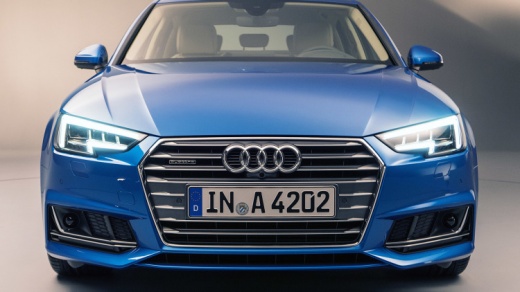
How to Reset the AdBlue Warning Light on the Audi A4?
Model: Audi A4
B9
- Years:
2014, 2015, 2016, 2017, 2018, 2019, 2020, 2021, 2022, 2023, 2024
Video tutorial
To reset the AdBlue warning light on the Audi A4, you need to refill the additive fluid by pouring it into the designated tank. After obtaining a fluid with the correct specifications, open the fuel door: behind it, you will find the cap for refueling gasoline and the cap for the AdBlue tank. After unscrewing the cap, you can refill by pouring the necessary amount of additive fluid into the tank. Once refilled, close the cap and the fuel door, and check that the warning light has turned off.
Updated on 25 April 2026 by ScegliAuto
Related tutorials
Audi A4
(2007-2016 /
B8)
To reset the AdBlue light on the Audi A4, open the fuel filler door located on the rear right side of the vehicle. Here, you will find the fuel cap a…
Audi A4
(2014-2024 /
B9)
This guide will show you how to reset the AdBlue refill warning light on the Audi A4. First, ensure you have actually refilled the AdBlue; then use t…

Audi A4
(2007-2016 /
B8)
In this guide, we will see the instructions that will allow us to reset the AdBlue warning light on the Audi A4. First, we get inside the vehicle and…
Other guides you may be interested in
|
How to Remove the Rear Bumper on a Peugeot 308
This article outlines the procedure to remove and replace the rear bumper on a Peugeot 308 T9. First, remove the screws located in the wheel arch of the rear wheels, then remove the plastic clips underneath the bumper. Next, take off the wheel arch cover, and remove the plastic nut. After removing the nut, disconnect the connectors present. Now, remove the fixing screws located underneath the bumper and also the plastic clips. Once all clips and screws are removed, you can take off the bumper for repair or replacement. by ScegliAuto More videos
|
For advertising on this site Write to info@scegliauto.com
ScegliAuto is not responsible for any inaccuracy of the data in the lists. To report any inaccuracy or your business (if you own the business in question), please write to info@scegliauto.com
Number of seconds to generate the page: 0.119
(c) ScegliAuto 2026 - info@scegliauto.com - Privacy policy VAT number: IT01247470535 |
