
|
Do it yourself
| |||
| ||||


|
In this new mini guide dedicated to all of you owners of the new Audi Q3 (year 2018-2023) we will find out what are the steps to take if you want to manually set the system time. First, go inside the car and start both the instrument panel and the central display of the infotainment system. Then click on "Settings" to enter the settings menu and select the "General" item. At this point click on "Date & Time" and disable the automatic time. Finally, select the "Date" option and manually change the hour and minute digits.
Posted on 7 February 2023 by ScegliAuto
Video tutorial
Related tutorials
Audi Q3
(2011-2018 /
8U)
In this article we will show you how to adjust the clock of the on-board computer of the Audi Q3. The procedure does not require tools and takes litt…

Audi Q3
(2011-2018 /
8U)
Today we will explain how to set the language on the onboard computer of the 2018 Audi Q3. To set the language, turn on the instrument panel and pres…
Audi Q3
(2011-2018 /
8U)
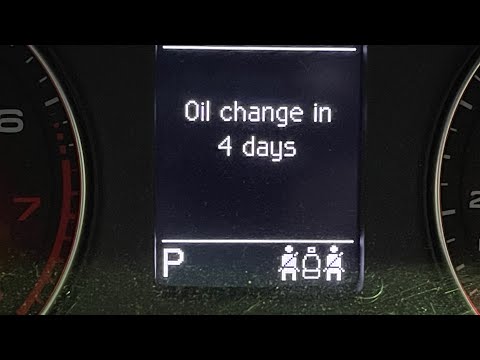
In this new mini guide dedicated to your Audi Q3 first generation (year 2017), we will discover how to manually reset the engine oil warning light. F…
Other guides you may be interested in |
How to Dismantle the Heating Radiator on a Mini Cooper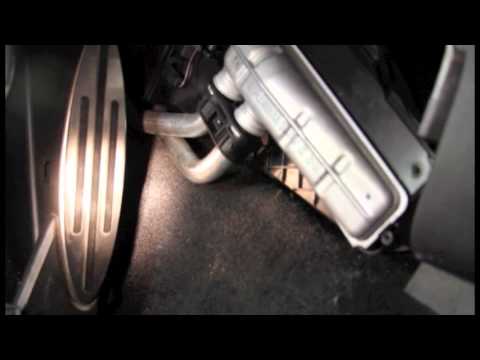
Let’s see how to dismantle the heating radiator on a Mini Cooper. First, remove the plastic cover of the centre tunnel (located under the centre tunnel on the left). Unscrew the securing screws with a screwdriver, and remove the black plastic cover that hides the heating radiator. Once all the described operations are completed, move to the engine bay: remove the plastic engine cover and disconnect the two hoses (unscrew the securing clips if present) of the radiator that goes into the cabin, allowing the fluid to drain. Disconnect the radiator from the pipes inside the cabin. Work in reverse for all the assembly steps. by ScegliAuto More videos
|

|
For advertising on this site Write to info@scegliauto.com
ScegliAuto is not responsible for any inaccuracy of the data in the lists. To report any inaccuracy or your business (if you own the business in question), please write to info@scegliauto.com
Number of seconds to generate the page: 0.043
(c) ScegliAuto 2026 - info@scegliauto.com - Privacy policy VAT number: IT01247470535 |
