
|
Do it yourself
| |||
| ||||


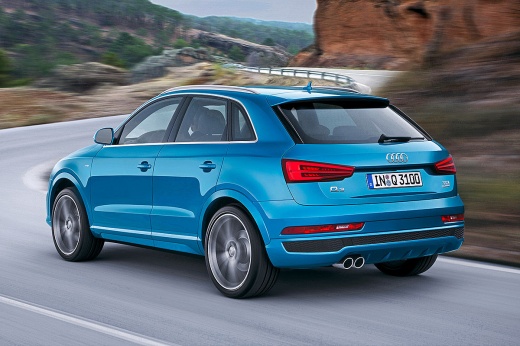
How do you reset the tire pressure warning light on the Audi Q3?
Model: Audi Q3
8U
- Years:
2011, 2012, 2013, 2014, 2015, 2016, 2017, 2018
Video tutorial
You can completely turn off the tire pressure warning light that appears on the instrument panel of the Audi Q3 by first inflating all the tires to the recommended pressure value: this value will be found on the sticker located on the driver's door pillar. Once all the tires have been inflated, you can access the menu displayed on the central screen by using the buttons on the central panel: you will need to select the "Servicing & checks" option and then "Store tyre pressure." By confirming the message that will appear afterward, the tire pressure warning light will turn off completely.
Posted on 4 January 2026 by ScegliAuto
Related tutorials
Audi Q3
(2018-2025 /
F3)
To reset the tire pressure light on an Audi Q3, first inflate all tires to the recommended pressure: this value is found on the sticker located on th…

Audi Q3
(2018-2025 /
F3)
To make the tire pressure warning light on the Audi Q3 disappear completely, you will first need to inflate the tires until they are brought back to …

Audi Q3
(2011-2018 /
8U)
To reset the tire pressure light on the Audi Q3, first inflate all tires to the recommended pressure: this value is found on the sticker located on t…
Other guides you may be interested in
|
How to Open the Fuel Filler Flap in the Hyundai i30?
In this tutorial, you will learn how to open the fuel filler flap in the Hyundai i30, a very simple operation that follows the typical procedure of most vehicles. First, unlock the locks using the designated button on the remote, then open the driver's door, locate the release lever on the left side of the seat, and operate it. Next, move to the fuel filler flap, open it completely, unscrew the cap, and refuel as needed. To close the flap, simply press it gently. by ScegliAuto More videos
|
|
For advertising on this site Write to info@scegliauto.com
ScegliAuto is not responsible for any inaccuracy of the data in the lists. To report any inaccuracy or your business (if you own the business in question), please write to info@scegliauto.com
Number of seconds to generate the page: 0.081
(c) ScegliAuto 2026 - info@scegliauto.com - Privacy policy VAT number: IT01247470535 |
