
|
Do it yourself
| |||
| ||||



How to Activate the Green Menu on Audi MMI via VCDS
Model: Audi A4
B8
- Years:
2007, 2008, 2009, 2010, 2011, 2012, 2013, 2014, 2015, 2016
Video tutorial
Learn how to activate the green menu on an Audi MMI via VCDS. Go to "select". The control unit to select is 5F. Select "adaptations". The channel of interest is "06" or "development test mode". Enter "1" in the "new value" field and "check value", then click "save" and confirm if prompted. You can exit. The MMI will turn off. Now turn it back on and simultaneously press the "car" and "setup" buttons for 5 seconds. This will bring up the green menu. From here, you can potentially cause many issues, so stick to what you can do from the "car" menu, especially from the "cardevicelist" menu, and just observe the rest. After making a change, perform a soft reset by pressing the three highlighted buttons in the video.
Updated on 9 August 2026 by ScegliAuto
Related tutorials
Audi A4
(2014-2024 /
B9)
Various navigation menus have been found on Audi vehicles depending on the model, year, and equipment. Audi offers different navigation and multimedi…
Audi A4
(2007-2016 /
B8)
The Multi Media Interface (MMI) is an in-car user interface multimedia system developed and introduced by Audi. It consists of a single integrated in…

Audi A4
(2007-2016 /
B8)
It will be possible to reset the MMI system of the Audi A4 by first turning on the instrument panel, inserting the ignition key into the correspondin…
Other guides you may be interested in |
How to Activate the Disabled TRC on the Toyota Yaris?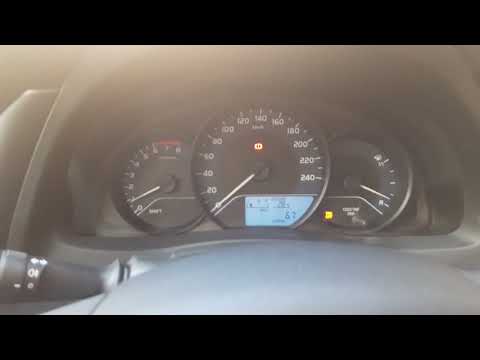
As the video clearly shows, disabling or activating the traction control (TRC or ESP) on the Toyota Yaris is very simple. By default, the traction system activates every time the vehicle is started. To disable it, simply press the button depicting a skidding car located in the centre of the vehicle where the controls are, such as the hazard lights and the radio, but near the handbrake. Once disabled, the TRC off light will illuminate on the dashboard. To reactivate it, just press the same button again. by ScegliAuto More videos
|
|
For advertising on this site Write to info@scegliauto.com
ScegliAuto is not responsible for any inaccuracy of the data in the lists. To report any inaccuracy or your business (if you own the business in question), please write to info@scegliauto.com
Number of seconds to generate the page: 0.020
(c) ScegliAuto 2026 - info@scegliauto.com - Privacy policy VAT number: IT01247470535 |
