
|
Do it yourself
| |||
| ||||


How to Change the Background of the MMI 3G System in the Audi A4
Model: Audi A4
B8
- Years 2007-2016
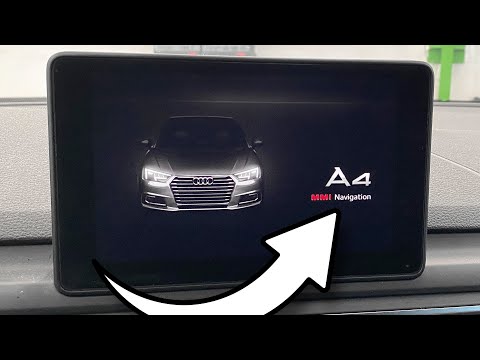
There are two ways to change the background of the Audi A4. The first method is basic and involves setting existing backgrounds in the system, while the second method involves inserting an image via a memory card. To perform the first method, first turn on the display and use the CAR and SETUP buttons to access the green menu. Once inside, scroll through the menu to the "car" option and select it, then choose "carcodingvehicle" and finally "configuration line"; from this option, you can modify the background with the various types offered by the system. Next, restart the system by pressing the SETUP button, the center button, and the first button at the top right. To perform the second method, first transfer the desired photo to the memory card and insert it into one of the slots of the radio. Turn on the display and wait for it to load, then restart the system and automatically the background that will be set will be from the memory card. Now remove the memory card and you're done.
Updated on 27 August 2026 by ScegliAuto
Video tutorial
Related tutorials
Audi A4
(2007-2016 /
B8)
It will be possible to reset the MMI system of the Audi A4 by first turning on the instrument panel, inserting the ignition key into the correspondin…
Audi A4
(2014-2024 /
B9)
In this short video tutorial, learn how to reset the MMI system on an Audi A4 model B9, produced from 2014 to 2021. First, turn on the instrument clu…

Audi A4
(2007-2016 /
B8)
The Multi Media Interface (MMI) is an in-car user interface multimedia system developed and introduced by Audi. It consists of a single integrated in…
Other guides you may be interested in |
Frequently Asked QuestionsHow to Replace the Remote Battery for the Volvo XC40?
In this tutorial, you will see how to replace the battery in the remote for the Volvo XC40, a very simple and quick operation. For this, you will need a replacement battery of type CR2032 and possibly a small flathead screwdriver. First, remove the front cover by pressing the button on the metal ring, then locate the second button, press it as well, and remove the opposite cover. Next, open the circular cap, take out the old battery, and insert the new one in the opposite direction. Finally, reassemble everything. by ScegliAuto More videos
|

|
For advertising on this site Write to info@scegliauto.com
ScegliAuto is not responsible for any inaccuracy of the data in the lists. To report any inaccuracy or your business (if you own the business in question), please write to info@scegliauto.com
Number of seconds to generate the page: 0.057
(c) ScegliAuto 2026 - info@scegliauto.com - Privacy policy VAT number: IT01247470535 |
