
|
Do it yourself
| |||
| ||||


How to replace the rear headlight bulb of the Audi A4
Model: Audi A4
B8
- Years 2007-2016
Today's instructions will show us how to disassemble and replace the rear headlight bulb of the Audi A4, in simple and quick steps. First, open the rear hatch of the trunk and start unscrewing the plastic screw of the headlight, detaching it from the outer part; then separate the bulb holder from the light fixture, as shown in the video. At this point, remove any faulty bulbs from the bulb holder, replacing them with new ones (with the same attachment); then reassemble the light fixture on the headlight and finally attach the headlight back to the body, applying the reverse process!
Posted on 21 June 2024 by ScegliAuto
Video tutorial
Related tutorials
Audi A4
(2007-2016 /
B8)
Today we will explain how to replace the rear bulbs of the headlight of an Audi A4 model B8 produced from 2007 to 2015. To replace the bulb, we must …

Audi A4
(2004-2008 /
B7)
To replace the rear headlight bulb of an Audi A4 model b7, we need to: - open the trunk; - unscrew the screw located on the inside, towards the headl…
Audi A4
(2007-2016 /
B8)
In order to replace the Audi A4 headlight bulb, you have to open the hood and loosen the screws that secure the grille to the front of the engine com…
Other guides you may be interested in
|
How to Use the Radio Navigator of a Hyundai Tucson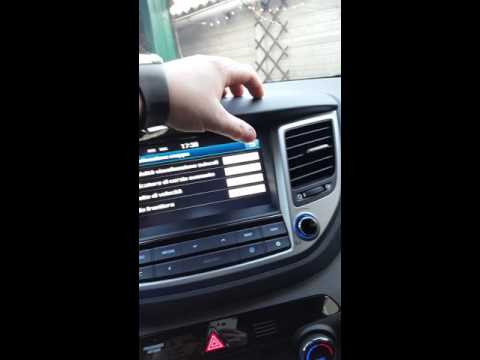
This instructional video demonstrates how to use the navigator and the information from the radio/navigator of the Hyundai Tucson. Pressing the power button on the radio will display the navigator screen with all navigation information. Below the radio display, there are manual control buttons for the stereo (a figurative button where if removed there is the SD card slot and a reset button beside it). The touch navigation screen is clear and very intuitive, easy to use even for watching videos. Always make the necessary settings for the navigator/radio while the vehicle is stationary. by ScegliAuto More videos
|
|
For advertising on this site Write to info@scegliauto.com
ScegliAuto is not responsible for any inaccuracy of the data in the lists. To report any inaccuracy or your business (if you own the business in question), please write to info@scegliauto.com
Number of seconds to generate the page: 0.099
(c) ScegliAuto 2026 - info@scegliauto.com - Privacy policy VAT number: IT01247470535 |
