
|
Do it yourself
| |||
| ||||


How to replace the seat adjustment keypad of the Bentley Mulsanne
Model: Bentley Mulsanne
MK 2
- Years 2010-2020
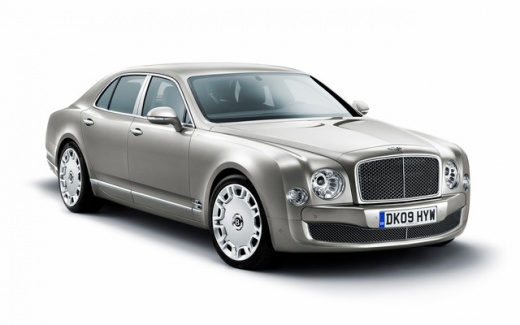
Below we will see the instructions on how to disassemble and replace the front seat adjustment switch panel of the Bentley Mulsanne. First, we open the front door on the driver's side and start removing the plastic side cover of the seat, where the switch panel is attached; then we unscrew the internal screws of the switch panel to remove it, disconnecting the electrical connector, as shown in the video. At this point, we carry out the repair or replacement of the seat adjustment switch panel, fixing it correctly and making the connection; all that's left is to verify its operation!
Posted on 21 October 2025 by ScegliAuto
Video tutorial
Related tutorials
Bentley Bentley Various
To replace the air filters on a Bentley Continental GT, open the bonnet to access the components located within the engine bay. Here, you will find t…

Bentley Bentley Various
In this tutorial video, you can see how to replace the battery in the key fob of a Bentley Continental. The procedure is very simple; ensure you have…

Bentley Bentley Various
If you own a Bentley and want to manually reset the tyre pressure light that keeps coming on despite no punctures, follow these steps. First, enter t…
Other guides you may be interested in
|
How to Open the Bonnet on the Lancia Y
To open the bonnet on this vehicle, follow these simple instructions: first, open the driver's door and locate the lever positioned just below the dashboard, marked with an image of the vehicle with the bonnet open. Pull this lever towards you until you hear a "click" indicating the bonnet is released. Next, exit the cabin and stand in front of the bonnet to disengage the safety catch and complete the opening. To do this, slightly lift the bonnet, locate the yellow lever underneath, and pull it to the left to fully release and open the bonnet. by ScegliAuto More videos
|
|
For advertising on this site Write to info@scegliauto.com
ScegliAuto is not responsible for any inaccuracy of the data in the lists. To report any inaccuracy or your business (if you own the business in question), please write to info@scegliauto.com
Number of seconds to generate the page: 0.868
(c) ScegliAuto 2026 - info@scegliauto.com - Privacy policy VAT number: IT01247470535 |
