
|
Do it yourself
| |||
| ||||


How to use an icarsoft device on a BMW X3 F25
Model: BMW X3
MK 2, F25
- Years 2010-2017
In this video we can see how to use an icarsoft diagnostic tool to regenerate the DPF of a BMW 2.0: in this case it is an X1. Icarsoft is a diagnostic tool that, connected to the OBDII port, allows access to the vehicle's ECU, detecting the error codes that have been stored inside. So once the device is connected, we click on the service menu, where we will look for the DPF option, search for the make and model of our vehicle, through which we access the diagnostic service, request the regeneration which will take a few minutes. The icarsoft system is also available through the diagnostic-world website. Com.
Posted on 19 March 2025 by ScegliAuto
Video tutorial
Related tutorials
BMW X3
(2010-2017 /
MK 2, F25)
Locating the box containing all the fuses of your BMW X3 F25 is really simple. All you have to do is read the following guide and follow step by step…
BMW X3
(2010-2017 /
MK 2, F25)
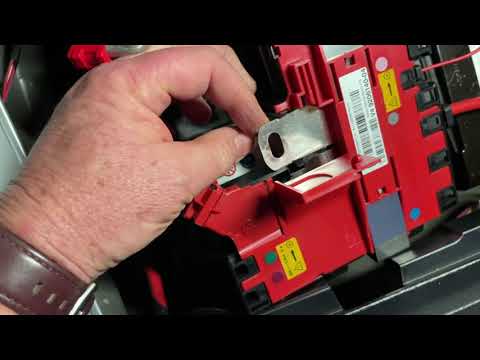
In this video, see how to replace the battery in a BMW X3 F25. In this vehicle, the battery is located in the rear trunk, under a specific section, s…

BMW X3
(2010-2017 /
MK 2, F25)
In the following mini guide dedicated to those of you who own a BMW X3 F25, we will explain the steps you need to take in order to manually reset the…
Other guides you may be interested in |
How to Connect the Cables to the Battery of the Citroen Xsara Picasso?
In this tutorial, you will see how to connect the cables to the battery of the Citroen Xsara Picasso, useful if you need to recharge it or perform an emergency start. First, ensure the key is not inserted, then open the bonnet and move to the front of the left headlamp. Next, locate the bolt just behind the filter box and connect the positive terminal clamp to it. Now you can connect the negative terminal to any point on the chassis, such as the indicated point. Once the operation is complete, ensure you disconnect the negative first and then the positive. by ScegliAuto More videos
|

|
For advertising on this site Write to info@scegliauto.com
ScegliAuto is not responsible for any inaccuracy of the data in the lists. To report any inaccuracy or your business (if you own the business in question), please write to info@scegliauto.com
Number of seconds to generate the page: 0.081
(c) ScegliAuto 2026 - info@scegliauto.com - Privacy policy VAT number: IT01247470535 |
