
|
Do it yourself
| |||
| ||||


How to reset the brake service in the BMW 5 Series?
Model: BMW Serie 5
G30
- Years 2017-2024
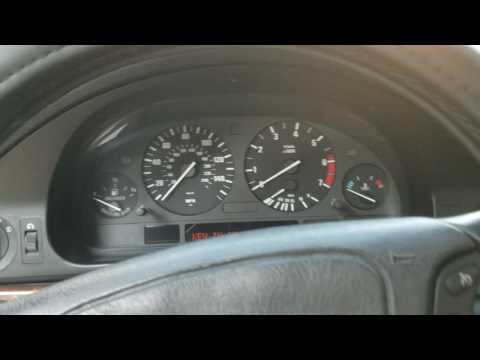
In this video we can see how to reset the brake fluid warning light in the BMW 5 Series 525d, an operation to be followed obviously only after carrying out the required maintenance. To reset, start the instrument panel by pressing the Start / Stop button three times and hold down the reset button for partial kilometers, until the maintenance screen appears. At this point, with quick presses of the same button, we scroll through the various services available up to that relating to brake fluid. Once reached, we hold down the button a first time to start the reset and a second time to confirm it.
Posted on 31 January 2022 by ScegliAuto
Video tutorial
Related tutorials
BMW Serie 5
(2010-2017 /
F11, F10)
In this tutorial, you will see how to reset the brake service light on a BMW 5 Series, a very simple and quick operation to perform only after comple…

BMW Serie 5
(2003-2010 /
E60, E61)
In this tutorial, we can see how to reset the brake service on the BMW Series 5, an extremely simple and quick operation to be performed only after c…
BMW Serie 5
(1995-2003 /
E39)
In this guide, let's see the main instructions that will allow us to reset the BMW 5 Series engine control unit. First of all, we get on board the ca…
Other guides you may be interested in
|
Replacing the Battery in a Mercedes A-Class
Is the battery in your Mercedes A-Class dead? Can't start the car? Replace the battery. Open the car door and slide the passenger seat back; the battery is under the front mat (in other cars, it is usually located in the engine compartment). Remove the mat and the plastic cover from the battery. Start loosening the battery terminal bolts with a socket wrench. Remove the old battery using the plastic handle and install a new one, tightening the power terminals. Close the battery compartment and cover it with the mat. by ScegliAuto More videos
|
For advertising on this site Write to info@scegliauto.com
ScegliAuto is not responsible for any inaccuracy of the data in the lists. To report any inaccuracy or your business (if you own the business in question), please write to info@scegliauto.com
Number of seconds to generate the page: 0.051
(c) ScegliAuto 2026 - info@scegliauto.com - Privacy policy VAT number: IT01247470535 |
