
|
Do it yourself
| |||
| ||||


How to reset the BMW 225XE service light
Model: BMW Serie 2
F45
- Years 2014-2021
If you want to eliminate the warning message regarding vehicle maintenance on the display of your BMW 225XE, simply follow the instructions below. First you obviously have to turn on the car ignition and immediately afterwards press the small button located just below the speedometer twice in succession. Once this is done, hold down the same button you used previously and release it as soon as the car figure appears and the reset message available. To confirm the operation, simply press the button one last time. You can repeat this procedure also to reset the other automatic reading values present.
Posted on 1 February 2022 by ScegliAuto
This video is currently unavailable
Related tutorials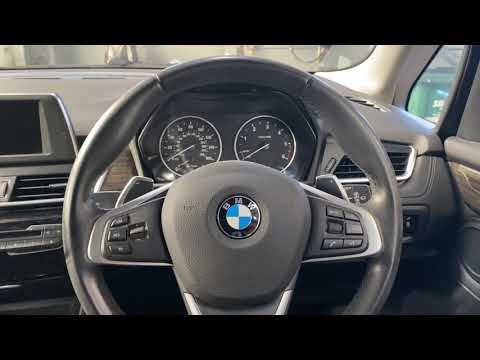
BMW Serie 2
(2014-2021 /
F45)
Thanks to the latest generation instrumentation and very intuitive menu management software, resetting the maintenance warning light on the BMW 2 Ser…

BMW Serie 2
(2014-2021 /
F45)
In this tutorial, we can see how to reset the service in the BMW 2 Series, an extremely simple and quick operation to be performed only once all sche…

BMW Serie 2
(2013-2021 /
F22)
In this tutorial, we can see how to reset the service in the BMW 2 Series, an extremely simple and quick operation to be carried out only after compl…
Other guides you may be interested in |
How to Top Up the Radiator Fluid on Mercedes Vito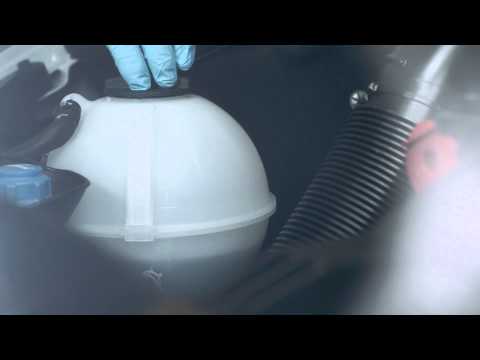
Learn how to top up the fluid in the cooling radiator reservoir on a Mercedes Vito yourself to save on labour costs. First, pull the plastic lever located at the bottom left of the dashboard, lift the bonnet and secure it with the metal prop. Locate the cap for topping up the fluid in the radiator reservoir (unscrew it). Using a funnel, top up with screen wash fluid and close the reservoir cap. Close the engine cover after maintenance. Test the correct functioning of the maintenance performed previously. by ScegliAuto More videos
|

|
For advertising on this site Write to info@scegliauto.com
ScegliAuto is not responsible for any inaccuracy of the data in the lists. To report any inaccuracy or your business (if you own the business in question), please write to info@scegliauto.com
Number of seconds to generate the page: 0.065
(c) ScegliAuto 2026 - info@scegliauto.com - Privacy policy VAT number: IT01247470535 |
