
|
Do it yourself
| |||
| ||||


How to reset the service in the BMW 2 Series?
Model: BMW Serie 2
F45
- Years 2014-2021
In this video we can see how to reset the service in the BMW 2 Series 220d, an operation to be carried out only after having carried out the scheduled maintenance work. To do this we will only use the button located just below the speedometer. Let's start by turning on the instrument panel and scroll through the central display to the screen indicated in the video. At this point, press and hold the button for about 5 seconds until you enter the maintenance menu, select the service we intend to reset and keep the button pressed once to start the procedure, a second time to confirm.
Posted on 17 August 2022 by ScegliAuto
Video tutorial
Related tutorials
BMW Serie 2
(2014-2021 /
F45)
.. In this tutorial, we can see how to reset the service in the BMW 2 Series, an extremely simple and quick operation to be performed.. …

BMW Serie 2
(2013-2021 /
F22)
.. In this tutorial, we can see how to reset the service in the BMW 2 Series, an extremely simple and quick operation to be carried out.. …
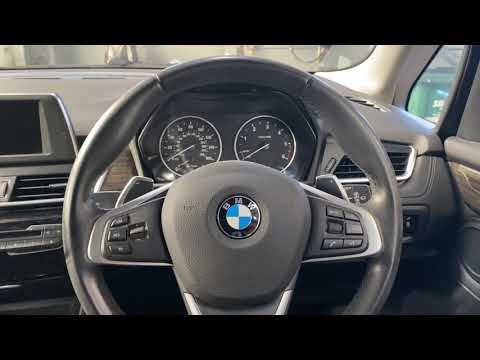
BMW Serie 2
(2014-2021 /
F45)
Thanks to the latest generation instrumentation and very intuitive menu management software, resetting the maintenance warning light on the BMW 2 Ser…
Other guides you may be interested in |
How to Replace the Pollen Filter on a Jeep Renegade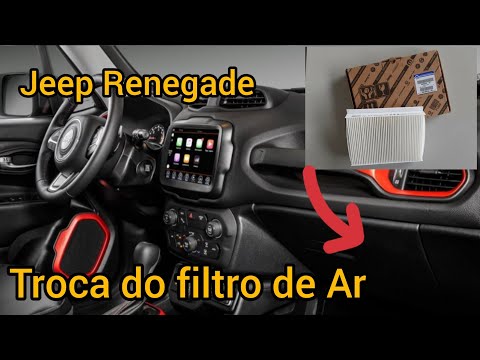
How to replace the pollen filter on a Jeep Renegade? Unscrew the screws located on the right side of the dashboard, then remove the glove compartment (as shown in the video). Using a screwdriver or cordless drill, remove the metal bar and the cover from the filter housing, then extract the worn cabin filter. Insert a new cabin filter ensuring it fits snugly around the walls of the housing, reattach the housing cover and tighten the screws (cover everything with the cloth placed under the dashboard). Check the correct installation of the previously mounted parts. by ScegliAuto More videos
|

|
For advertising on this site Write to info@scegliauto.com
ScegliAuto is not responsible for any inaccuracy of the data in the lists. To report any inaccuracy or your business (if you own the business in question), please write to info@scegliauto.com
Number of seconds to generate the page: 0.055
(c) ScegliAuto 2026 - info@scegliauto.com - Privacy policy VAT number: IT01247470535 |
