
|
Do it yourself
| |||
| ||||


How to reset the tire pressure light in the BMW X2?
Model: BMW X2
F39
- Years 2017-2023
In this tutorial we can see how to reset the tire pressure light in the BMW X2, an extremely simple and quick operation, to be carried out only once the correct pressure of each tire has been restored following the indications in the manual. First of all, let's go inside the cabin, then insert the key and turn on the instrument panel. Then press the "MENU" button on the central console, enter "My Vehicle", "Vehicle status", "Tyre settings", and reset using the "Perform reset" option. To complete the procedure, simply restart the instrument panel.
Posted on 8 July 2024 by ScegliAuto
Video tutorial
Related tutorials
BMW X2
(2017-2023 /
F39)
Resetting the tire pressure warning light in the BMW X2, as we can see in this tutorial, is an extremely simple and quick operation. Before proceedin…

BMW X2
(2017-2023 /
F39)
In this tutorial we can see how to reset the tire pressure warning light in the BMW X2, an extremely simple and quick operation, to be performed only…

BMW X2
(2017-2023 /
F39)
Turn on the instrument cluster of the BMW X2 to reset the service light related to the vehicle maintenance. From the onboard computer, select the "Ve…
Other guides you may be interested in
|
Removing the Front Wheel of a Yamaha Tmax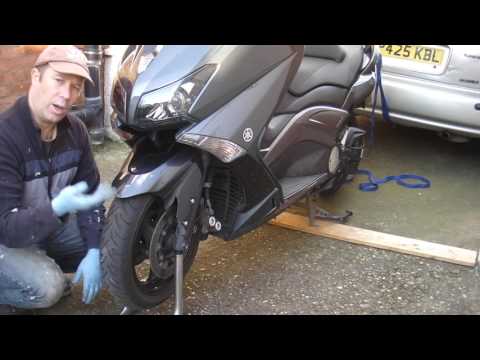
In this video tutorial, you will learn how to remove the front wheel of a Yamaha Tmax 530 (penultimate series). First, remove the fork bolts using a ratchet spanner: then also remove the brake caliper. Now, you will need a stand to lift the front of the bike to safely remove the wheel: then unscrew the central bolt of the wheel: at this point, you can remove it. If desired, you can also remove the mudguard by unscrewing the relevant screws. Apply the reverse procedure for reassembly! by ScegliAuto More videos
|

|
For advertising on this site Write to info@scegliauto.com
ScegliAuto is not responsible for any inaccuracy of the data in the lists. To report any inaccuracy or your business (if you own the business in question), please write to info@scegliauto.com
Number of seconds to generate the page: 0.104
(c) ScegliAuto 2026 - info@scegliauto.com - Privacy policy VAT number: IT01247470535 |
