
|
Do it yourself
| |||
| ||||


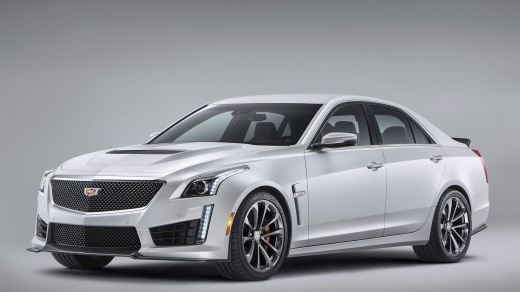
How to Customize the Emblems of the Cadillac CTS?
Model: Cadillac Cts
MK 3
- Years:
2014, 2015, 2016, 2017, 2018, 2019
Video tutorial
You can customize the emblems of the Cadillac CTS using car wrapping. Get the film in your desired colors and then remove the emblems by softening the adhesive with a heat gun or another tool that can emit hot air. Remove any residue of adhesive and dirt from both the emblem and the body. Proceed to apply the film, shaping it to the desired form and size. Ensure it adheres well, eliminating any air bubbles between it and the emblem. When finished, you can reposition the customized emblems on the car and stick them using an appropriate adhesive.
Updated on 17 July 2026 by ScegliAuto
Related tutorials
Cadillac Cts
(2014-2019 /
MK 3)
How to customize the use of the Cadillac CTS: let's start with the air conditioning. Go to the settings menu and scroll using the up and down buttons…

Cadillac Cts
(2008-2014 /
MK 2)
This short video shows the diagram of how the fuses are arranged inside the Cadillac CTS MK2, which is the second model released of the Cadillac CTS,…

Cadillac Cts
(2002-2007 /
MK 1)
To replace the fuel injectors on a Cadillac CTS, open the hood to access the components inside the engine bay. First, remove the plastic grille at th…
Other guides you may be interested in
|
How to Reset the Tyre Pressure Light on a Cupra Formentor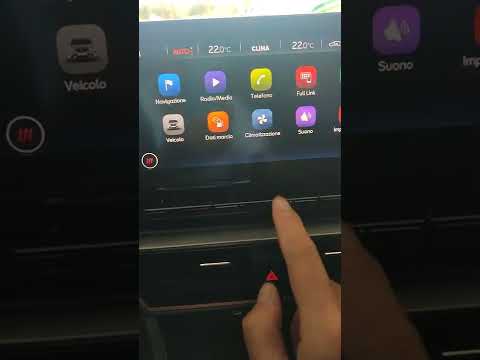
In this brief and simple video tutorial, learn how to reset the tyre pressure on a Cupra Formentor. Start by pressing the ignition button to turn on the instrument cluster. Now, use the touchscreen display on the central console to open the car menu. From here, select the driving data option, then the tyre pressure option. Now, click on the "SET" button with the pressure warning symbol and confirm the correct tyre pressure required by the manufacturer to perform the reset. by ScegliAuto More videos
|
|
For advertising on this site Write to info@scegliauto.com
ScegliAuto is not responsible for any inaccuracy of the data in the lists. To report any inaccuracy or your business (if you own the business in question), please write to info@scegliauto.com
Number of seconds to generate the page: 0.024
(c) ScegliAuto 2026 - info@scegliauto.com - Privacy policy VAT number: IT01247470535 |
