
|
Do it yourself
| |||
| ||||


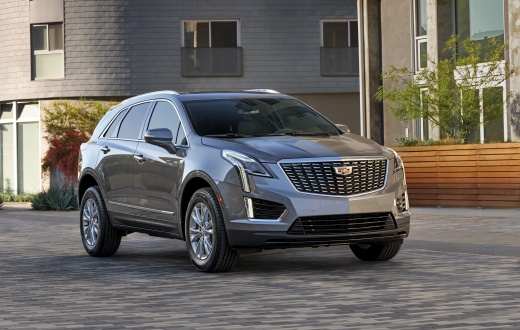
How to Remove the Front Door Panel of the Cadillac XT5
Model: Cadillac Xt5
MK 1
- Years:
2017, 2018, 2019, 2020, 2021, 2022, 2023, 2024
Video tutorial
Let's go through the necessary guide on how to remove and replace the front door panel of the Cadillac XT5 in simple and quick steps. First, open the front door and start unscrewing all the fastening screws located on the sides of the panel; remove the plastic handle to unscrew the additional screws, as shown in the video. At this point, pry on the sides to detach the door panel, disconnecting the electrical connector of the window switch and the handle cable; then reassemble the door panel by proceeding in reverse order!
Updated on 23 July 2026 by ScegliAuto
Related tutorials
Cadillac Xt5
(2017-2024 /
MK 1)
If you are looking for the fuse box of your Cadillac XT5 and have not been able to find it, don't worry because below you will find all the useful in…

Cadillac Xt5
(2017-2024 /
MK 1)
To remove the outer handle on a Cadillac XT5, open the door to access the screw located on its side, inside the hole corresponding to the handle. Aft…
Cadillac Xt5
(2017-2024 /
MK 1)
To replace the front brake pads on a Cadillac XT5, lift the vehicle so that it is not in contact with the ground. Then, remove the mounting screws of…
ScegliAuto offers an extensive international collection of automotive tutorials available in 12 languages. Each guide combines instructional videos with original explanations written by experienced human editors, along with information about the car models covered.
Other guides you may be interested in
|
How to Reset the Tyre Pressure Warning Light on the Toyota RAV 4
Today, discover the guide that will allow you to reset the tyre pressure warning light on the Toyota RAV 4; before performing the reset, ensure that all four tyres are at the correct operating pressure. Then, get in the vehicle and turn on the ignition; navigate to the vehicle settings and then to the TPMS option, as shown in the video. At this point, reset the warning light by confirming with the OK button; this will automatically reset the TPMS light on the instrument panel! by ScegliAuto More videos
|
|
For advertising on this site Write to info@scegliauto.com
ScegliAuto is not responsible for any inaccuracy of the data in the lists. To report any inaccuracy or your business (if you own the business in question), please write to info@scegliauto.com
Number of seconds to generate the page: 0.020
(c) ScegliAuto 2026 - info@scegliauto.com - Privacy policy - About us VAT number: IT01247470535 |
