
|
Do it yourself
| |||
| ||||


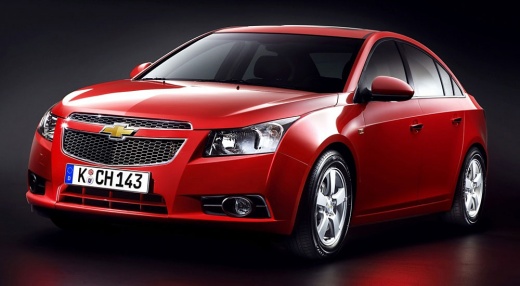
How to Reset the Service on the Chevrolet Cruze?
Model: Chevrolet Cruze
MK 1, J300
- Years:
2009, 2010, 2011, 2012, 2013, 2014, 2015
Video tutorial
This tutorial shows how to reset the service on the Chevrolet Cruze, indicated by the "code 82" warning light. Before following this simple and quick procedure, ensure all scheduled maintenance work is completed. Start by entering the cabin and turning on the ignition, then scroll through the various display screens until you reach the instant fuel consumption screen. Press the "Menu" button and hold the "SET/CLR" button at the end of the lever until the percentage returns to 100%.
Updated on 22 June 2026 by ScegliAuto
Related tutorials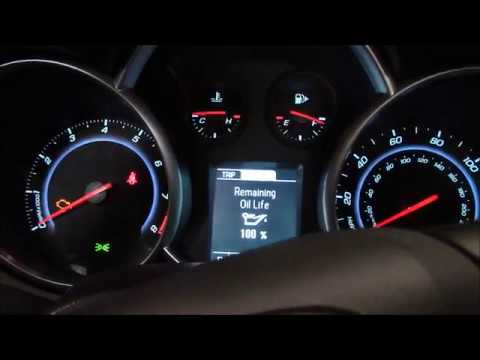
Chevrolet Cruze
(2009-2015 /
MK 1, J300)
In this tutorial, see how to reset the oil service light on the Chevrolet Cruze, a very simple and quick operation to perform only after completing a…

Chevrolet Cruze
(2009-2015 /
MK 1, J300)
In this tutorial, we can see how to reset the service in the Chevrolet Cruze, an extremely simple and quick operation to be performed only after comp…
Chevrolet Cruze
(2009-2015 /
MK 1, J300)
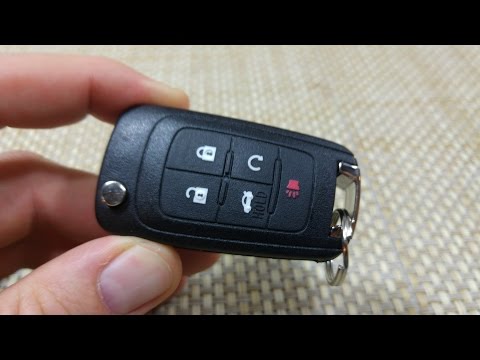
Is the battery of your Chevrolet Cruze key flat? Here’s how to open the key to change the battery. Open the metal key of the Cruze remote and, using …
Other guides you may be interested in
|
How to Remove the Headrest from an Opel Astra
Today's steps will show you how to remove the front headrest from an Opel Astra; this procedure also applies to all other headrests in the seats. So, get in the vehicle and start by rotating the plastic clips found at the base of the headrest; then remove the rear padding of the front seat and disconnect the headrest cable, as shown in the video. At this point, pull the headrest upwards to remove it, replacing it with a new one if necessary; apply the reverse procedure for reassembly! by ScegliAuto More videos
|
For advertising on this site Write to info@scegliauto.com
ScegliAuto is not responsible for any inaccuracy of the data in the lists. To report any inaccuracy or your business (if you own the business in question), please write to info@scegliauto.com
Number of seconds to generate the page: 0.070
(c) ScegliAuto 2026 - info@scegliauto.com - Privacy policy VAT number: IT01247470535 |
