
|
Do it yourself
| |||
| ||||


How to Reset the Service Light in the Citroen C4 Picasso?
Model: Citroen C4 Picasso
MK 2
- Years 2013-2022
In this tutorial, you will see how to reset the service light in the Citroen C4 Picasso, a very simple and quick operation to perform only after completing all scheduled maintenance tasks. First, go inside the cabin, then insert the key but leave it in the initial position. Next, press the "000" button located on the left side of the dashboard, simultaneously turn on the instrument panel and keep the button pressed for the entire duration of the countdown displayed. To complete the procedure, simply restart the vehicle.
Posted on 21 April 2026 by ScegliAuto
Video tutorial
Related tutorials
Citroen C4 Picasso
(2006-2013 /
MK 1)
In this tutorial, we will see how to reset the service indicator on the Citroen C4 Picasso, a very simple and quick operation that should be done onl…

Citroen C4 Picasso
(2006-2013 /
MK 1)
In this tutorial we can see how to reset the service in the Citroen C4 Grand Picasso, an extremely simple and quick operation, to be carried out only…

Citroen C4 Picasso
(2006-2013 /
MK 1)
In this tutorial we can see how to reset the service in the Citroen C4 Picasso, an extremely simple and quick operation, to be carried out only once …
Other guides you may be interested in
|
How to Open the Bonnet on the Lancia Y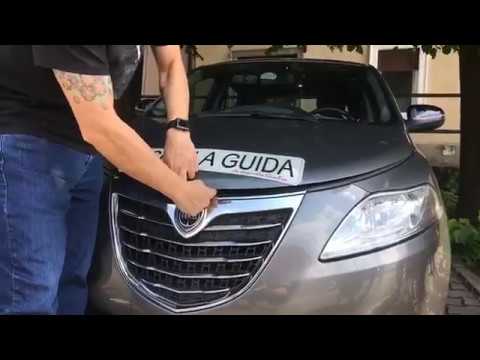
To open the bonnet on this vehicle, follow these simple instructions: first, open the driver's door and locate the lever positioned just below the dashboard, marked with an image of the vehicle with the bonnet open. Pull this lever towards you until you hear a "click" indicating the bonnet is released. Next, exit the cabin and stand in front of the bonnet to disengage the safety catch and complete the opening. To do this, slightly lift the bonnet, locate the yellow lever underneath, and pull it to the left to fully release and open the bonnet. by ScegliAuto More videos
|
|
For advertising on this site Write to info@scegliauto.com
ScegliAuto is not responsible for any inaccuracy of the data in the lists. To report any inaccuracy or your business (if you own the business in question), please write to info@scegliauto.com
Number of seconds to generate the page: 0.883
(c) ScegliAuto 2026 - info@scegliauto.com - Privacy policy VAT number: IT01247470535 |
