
|
Do it yourself
| |||
| ||||


How to reset the TPMS warning light on the Dacia Sandero MK3
Model: Dacia Sandero
MK 3
- Years 2021-2026
In this video we can see that, if a orange light in the shape of a tire section with an exclamation point inside lights up on the instrument panel of the Dacia Sandero, it means that the TPMS system has detected a decrease in pressure in one of the tires. We check the pressures when cold, and, if necessary, restore the correct values referring to the table on the driver's door frame. Then we sit in the driver's seat, turn on the ignition, use the buttons on the right side of the steering wheel to access the vehicle menu on the central display, select "tire pressure" with the arrow keys, and hold down the "ok" button until the reset confirmation message appears.
Posted on 1 November 2024 by ScegliAuto
Video tutorial
Related tutorials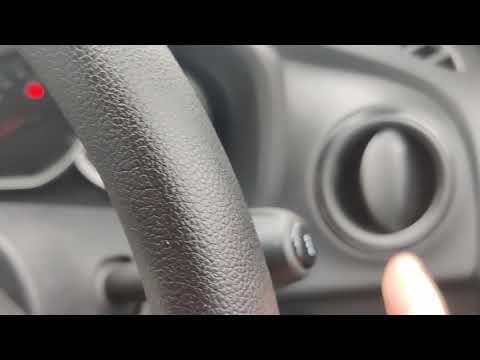
Dacia Sandero
(2012-2020 /
B8)
In this video tutorial, you will learn how to reset the tyre pressure monitoring system (TPMS) light on the Dacia Sandero, including the Stepway vers…

Dacia Sandero
(2021-2026 /
MK 3)
Let's discover the instructions on how to reset the tire pressure warning on the Dacia Sandero; before performing the TPMS sensor reset, it is necess…

Dacia Sandero
(2021-2026 /
MK 3)
As the mileage expected by the manufacturer for the service of the Dacia Sandero approaches, an orange warning light appears on the instrument panel …
Other guides you may be interested in
|
Frequently Asked QuestionsHow to Open the Bonnet on the Lancia Y
To open the bonnet on this vehicle, follow these simple instructions: first, open the driver's door and locate the lever positioned just below the dashboard, marked with an image of the vehicle with the bonnet open. Pull this lever towards you until you hear a "click" indicating the bonnet is released. Next, exit the cabin and stand in front of the bonnet to disengage the safety catch and complete the opening. To do this, slightly lift the bonnet, locate the yellow lever underneath, and pull it to the left to fully release and open the bonnet. by ScegliAuto More videos
|

|
For advertising on this site Write to info@scegliauto.com
ScegliAuto is not responsible for any inaccuracy of the data in the lists. To report any inaccuracy or your business (if you own the business in question), please write to info@scegliauto.com
Number of seconds to generate the page: 0.531
(c) ScegliAuto 2026 - info@scegliauto.com - Privacy policy VAT number: IT01247470535 |
