
|
Do it yourself
| |||
| ||||


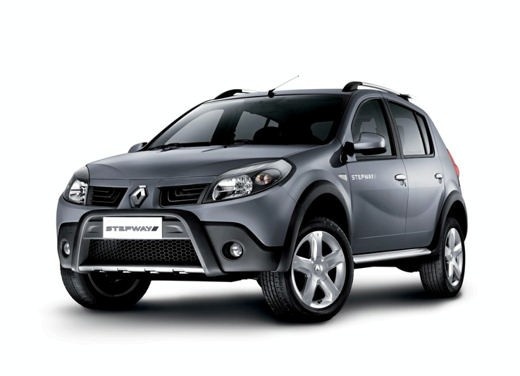
In the Dacia Sandero, how do you adjust the handbrake?
Model: Dacia Sandero
BS
- Years:
2008, 2009, 2010, 2011, 2012
Video tutorial
What the video here shows is not only valid for the Dacia Sandero, but for all Dacia branded cars and beyond. The handbrake lever, as we all know, acts on the cable that operates the brakes and if the latter is not well pulled, we risk not properly engaging the braking device. There is a solution to this and it is not even complex to implement, simply equip yourself with a socket wrench, remove the cover at the base of the aforementioned lever and screw the cable adjustment nut, if you want it tighter, otherwise it should be unscrewed to make it looser.
Posted on 22 June 2025 by ScegliAuto
Related tutorials
Dacia Sandero
(2012-2020 /
B8)
It will be possible to adjust the handbrake of the Dacia Sandero by completely removing the panel covering the central tunnel: to remove this panel, …

Dacia Sandero
(2012-2020 /
B8)
In this tutorial we can see how to adjust the handbrake in the Dacia Sandero Stepway, an extremely simple and quick operation. First of all, park the…

Dacia Sandero
(2008-2012 /
BS)
In order to adjust the clock of the Dacia Sandero, you need to turn on the instrument panel by inserting the ignition key into the corresponding slot…
Other guides you may be interested in |
How to Reset the Tire Pressure Light on a MG ZS?
On the instrument cluster of the MG ZS, the tire pressure light that appears can be reset by inflating the tires to the correct pressure: this value will be indicated on the sticker attached to the driver's door pillar. Once the tires have been properly inflated, you can turn on the instrument cluster and navigate through the menu until you find the option that indicates tire pressure: if this screen shows the new values, the light will turn off; otherwise, you will need to drive for a few miles so that the sensors can read the new values and turn off the light afterward. by ScegliAuto More videos
|
For advertising on this site Write to info@scegliauto.com
ScegliAuto is not responsible for any inaccuracy of the data in the lists. To report any inaccuracy or your business (if you own the business in question), please write to info@scegliauto.com
Number of seconds to generate the page: 0.021
(c) ScegliAuto 2026 - info@scegliauto.com - Privacy policy VAT number: IT01247470535 |
