
|
Do it yourself
| |||
| ||||


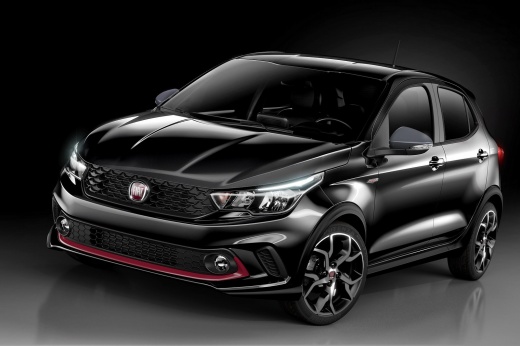
How do you reset the Service light on the Fiat Argo?
Model: Fiat Argo
MK 1
- Years:
2017, 2018, 2019, 2020, 2021, 2022, 2023, 2024
Video tutorial
To reset the Service light that appears on the instrument panel of the Fiat Argo, you need to connect a diagnostic tool to the vehicle's OBD port: this will be located on the dashboard immediately below the steering column. Once the scanner is connected, you can select the specific car model and version, and follow the instructions on the scanner to make the light disappear. Then, you will need to disconnect the scanner to verify that the light has been reset.
Posted on 25 June 2025 by ScegliAuto
Related tutorials
Fiat Argo
(2017-2024 /
MK 1)
To reset the Service light displayed on the instrument cluster of the Fiat Argo, connect a diagnostic tool to the vehicle's OBD port: this port is lo…

Fiat Argo
(2017-2024 /
MK 1)
To reset the Service light on a Fiat Argo, connect a diagnostic tool to the vehicle's OBD port: this port is located on the dashboard just below the …

Fiat Argo
(2017-2024 /
MK 1)
The operation of resetting the Service light that appears on the instrument panel of the Fiat Argo can be done by connecting a diagnostic tool to the…
Other guides you may be interested in |
How to Open the Fuel Flap on a Volkswagen Tiguan?
To open the fuel flap on a Volkswagen Tiguan, first unlock the car using the appropriate button on the remote. This will open the car and unlock the mechanism that controls the fuel flap. At this point, apply light pressure to the left side of the flap to open it and access the cap underneath. Once this is unscrewed, you can refuel and then close everything. by ScegliAuto More videos
|
|
For advertising on this site Write to info@scegliauto.com
ScegliAuto is not responsible for any inaccuracy of the data in the lists. To report any inaccuracy or your business (if you own the business in question), please write to info@scegliauto.com
Number of seconds to generate the page: 0.067
(c) ScegliAuto 2026 - info@scegliauto.com - Privacy policy VAT number: IT01247470535 |
