
|
Do it yourself
| |||
| ||||


Replacing Brake Pads on Fiat Punto mk2
Model: Fiat Punto
MK 2, 188
- Years:
1999, 2000, 2001, 2002, 2003, 2004, 2005, 2006, 2007, 2008, 2009, 2010
Video tutorial
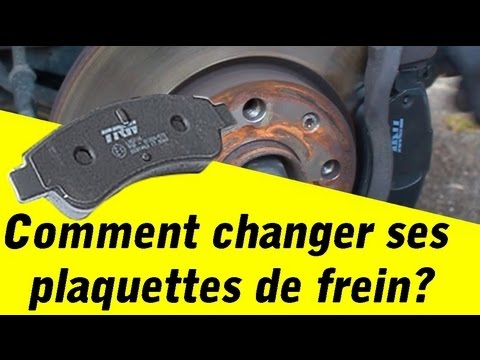
Loosen the wheel bolts of the affected wheel, lift the car, and completely unscrew them to remove the wheel. Once done, clean the fastening elements thoroughly with appropriate spray and a stiff brush. Use pliers to extract the small retaining clip, as shown in the video, then remove the lower pin and lift the brake pad support, which you can now easily remove. Clean the support and push back the brake piston so you can insert the new, much thicker pads. Close the clamp by refitting the support and remount the wheel, and you're done.
Updated on 8 April 2026 by ScegliAuto
Related tutorials
Fiat Punto
(2005-2018 /
199, MK 3, Grandepunto , Punto EVO)
In this video tutorial, you will learn how to remove and replace the front brake pads on a Fiat Grande Punto and Punto Evo 199. First, loosen the whe…

Fiat Punto
(2005-2018 /
199, MK 3, Grandepunto , Punto EVO)
This guide reveals the main instructions for removing and replacing the front brake pads of the Fiat Grande Punto. First, lift the vehicle and remove…
Fiat Punto
(2005-2018 /
199, MK 3, Grandepunto , Punto EVO)
Today, discover the steps to remove and replace the front brake pads on the Fiat Grande Punto, as well as the Punto Evo. First, lift the vehicle and …
Other guides you may be interested in
|
How to Reset the Tyre Pressure Warning Light on a Kia Rio?
The tyre pressure warning light displayed on the instrument cluster of the Kia Rio can be reset by inflating the tyres until they reach the recommended pressure value: this value is indicated on the sticker affixed to the driver's door pillar. Once all tyres have been inflated to the recommended pressure, turn on the ignition to check that the light has disappeared: if it is still present, it may be necessary to drive for a few miles, allowing the sensors to work and thus turning off the light. by ScegliAuto More videos
|
|
For advertising on this site Write to info@scegliauto.com
ScegliAuto is not responsible for any inaccuracy of the data in the lists. To report any inaccuracy or your business (if you own the business in question), please write to info@scegliauto.com
Number of seconds to generate the page: 0.035
(c) ScegliAuto 2026 - info@scegliauto.com - Privacy policy VAT number: IT01247470535 |
