
|
Do it yourself
| |||
| ||||


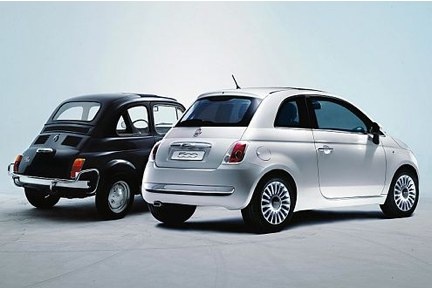
How to Connect Your Smartphone to Fiat 500/500C (with Uconnect)
Model: Fiat 500
312
- Years:
2007, 2008, 2009, 2010, 2011, 2012, 2013, 2014, 2015, 2016, 2017, 2018
Video tutorial
In today's video, we will see how to connect your smartphone to the Uconnect system of your Fiat 500 or 500C. First, get inside the car and turn on your multimedia system, as well as the Bluetooth on your phone; then proceed with the pairing by clicking the "phone" button and following the instructions. At this point, you can communicate, even through the voice assistant, with your smartphone, thanks to Android Auto or Apple CarPlay (which allows many other functions, such as WhatsApp, Spotify, and more); of course, this application must be downloaded on your smartphone.
Updated on 15 April 2026 by ScegliAuto
Related tutorials
Fiat 500
(2012-2023 /
500 L)
To connect your smartphone to the uConnect system in the Fiat 500, you need to turn on the central display, access uConnect, and press the 'Phone' ic…

Fiat 500
(2007-2024 /
312)
Today's guide illustrates the necessary steps to connect your smartphone to the multimedia system via Bluetooth on the Fiat 500. First, get into the …
Fiat 500
(2014-2022 /
500 X)
There are three ways to connect your smartphone to the Uconnect multimedia system in your Fiat 500X. The first method is via the USB port. With Andro…
Other guides you may be interested in |
Frequently Asked QuestionsHow to Activate the Automatic Folding and Unfolding of the Wing Mirrors on the Jeep Compass
Follow these brief instructions to activate the automatic folding and unfolding of the external wing mirrors on the Jeep Compass. First, get inside the vehicle and turn on the ignition; then press the button located beneath the mirror glass adjustment to electrically open the mirror, as shown in the video. Pressing the button in the opposite direction will close the mirrors; by holding the button, the mirrors will open and close automatically! by ScegliAuto More videos
|
|
For advertising on this site Write to info@scegliauto.com
ScegliAuto is not responsible for any inaccuracy of the data in the lists. To report any inaccuracy or your business (if you own the business in question), please write to info@scegliauto.com
Number of seconds to generate the page: 0.018
(c) ScegliAuto 2026 - info@scegliauto.com - Privacy policy VAT number: IT01247470535 |
