
|
Do it yourself
| |||
| ||||


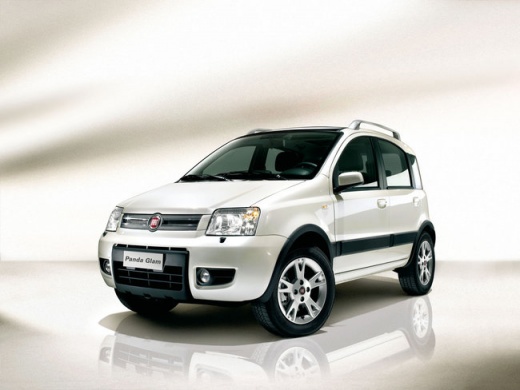
How to Disable the Fuel Inertia Switch on the Fiat Panda
Model: Fiat Panda
169, MK 2
- Years:
2003, 2004, 2005, 2006, 2007, 2008, 2009, 2010, 2011, 2012
Video tutorial
In this brief and simple guide, you will learn how to disable the fuel inertia switch on the Fiat Panda in a few quick steps. First, open the front door and locate the fuel inertia switch, which is found under the driver's seat; press the button to cut off the fuel supply in case of an emergency or accident, as shown in the video. At this point, you will see the flashing warning light appear on the instrument cluster, indicating the interruption of the fuel line!
Updated on 16 May 2026 by ScegliAuto
Related tutorials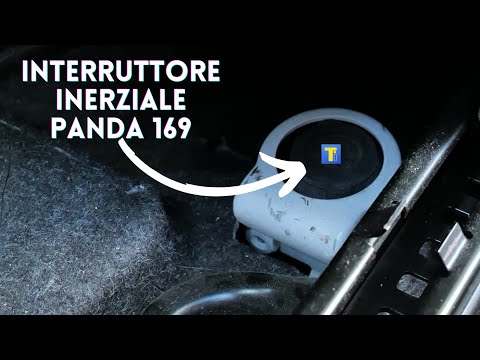
Fiat Panda
(2003-2012 /
169, MK 2)
If, following a severe impact, the Fiat Panda fails to restart, it is likely due to the inertia switch blocking the fuel supply to the engine. The in…

Fiat Panda
(2003-2012 /
169, MK 2)
In this video tutorial, you will see the main instructions to disable the FPS function on a Fiat Panda, as well as on other vehicles from the manufac…

Fiat Panda
(2003-2012 /
169, MK 2)
In this video, you can see where the inertia switch is located in the Fiat Panda, which is responsible for cutting off the fuel flow to the engine in…
Other guides you may be interested in
|
Frequently Asked QuestionsHow to Open the Fuel Flap on the Hyundai i30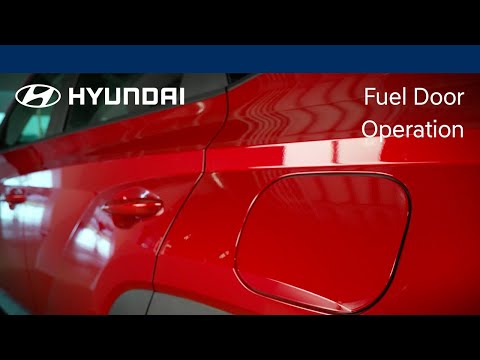
To refuel this car model, follow the simple steps outlined below. First, locate the fuel flap on the left side of the vehicle, just behind the rear wheel. When the vehicle is locked, the flap cannot be opened; once the central locking is released with the remote key, press the flap and it will release. You can then open it, unscrew the fuel cap, and refuel. After completing the operation, close the flap by pressing it back into place. by ScegliAuto More videos
|
For advertising on this site Write to info@scegliauto.com
ScegliAuto is not responsible for any inaccuracy of the data in the lists. To report any inaccuracy or your business (if you own the business in question), please write to info@scegliauto.com
Number of seconds to generate the page: 0.034
(c) ScegliAuto 2026 - info@scegliauto.com - Privacy policy VAT number: IT01247470535 |
