
|
Do it yourself
| |||
| ||||


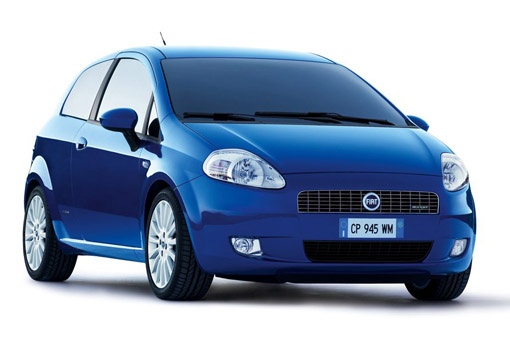
How to Disable the Seatbelt Chime with MultiECUscan on a Fiat Punto
Model: Fiat Punto
199, MK 3, Grandepunto , Punto EVO
- Years:
2005, 2006, 2007, 2008, 2009, 2010, 2011, 2012, 2013, 2014, 2015, 2016
Video tutorial
To disable the seatbelt chime using the MultiECUscan software on a Fiat Punto, start by connecting your computer to the car's OBD port. Open the main screen of the program, go to the "Adjustment" option, click on "Disable seatbelt alarm", and then click "Execute". A screen will appear stating "This is a safety feature, you can disable it at your own risk". Press the indicated button to continue (usually Y). When the "Completed" screen appears, the chime is disabled. The seatbelt warning light will still show on the dashboard, but the chime will not activate. If you wish to reactivate the chime in the future, you can do so via the onboard computer.
Updated on 8 June 2026 by ScegliAuto
Related tutorials
Fiat Punto
(2005-2018 /
199, MK 3, Grandepunto , Punto EVO)
In this video, we will illustrate how to disable the seatbelt chime on the Fiat Grande Punto. Remember that seatbelts must be worn at all times while…

Fiat Punto
(2005-2018 /
199, MK 3, Grandepunto , Punto EVO)
When working inside the vehicle, for example in a mechanical workshop, body shop, or auto electrician, it may be necessary to have the vehicle's inst…
Fiat Punto
(2005-2018 /
199, MK 3, Grandepunto , Punto EVO)
In this video tutorial, you can see how to disable the seatbelt warning sound in the Fiat Grande Punto Evo by following a few simple steps that will …
Other guides you may be interested in
|
Frequently Asked QuestionsHow to Open the Fuel Filler Flap in the Hyundai i30?
In this tutorial, you will learn how to open the fuel filler flap in the Hyundai i30, a very simple operation that follows the typical procedure of most vehicles. First, unlock the locks using the designated button on the remote, then open the driver's door, locate the release lever on the left side of the seat, and operate it. Next, move to the fuel filler flap, open it completely, unscrew the cap, and refuel as needed. To close the flap, simply press it gently. by ScegliAuto More videos
|
|
For advertising on this site Write to info@scegliauto.com
ScegliAuto is not responsible for any inaccuracy of the data in the lists. To report any inaccuracy or your business (if you own the business in question), please write to info@scegliauto.com
Number of seconds to generate the page: 0.054
(c) ScegliAuto 2026 - info@scegliauto.com - Privacy policy VAT number: IT01247470535 |
