
|
Do it yourself
| |||
| ||||


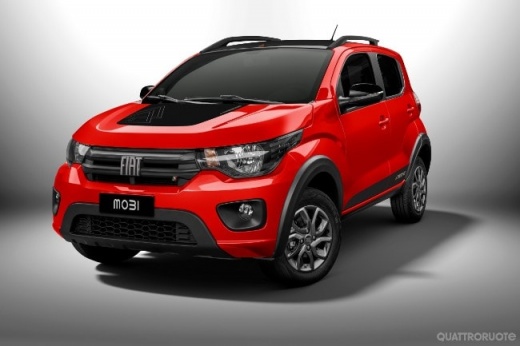
How to Apply a Sticker on the Fiat Mobi
Model: Fiat Mobi
MK 1
- Years 2016-2024
Many people like to customize their cars by applying weatherproof and heat-resistant stickers, or sometimes it is necessary to promote their business. Whatever the reason, once you have your design or text ready to apply on your Fiat Mobi, pay attention to a few details. Gather a squeegee to help you apply the sticker without creating wrinkles, a utility knife to remove the backing paper, and possibly a heat tool to ensure the design adheres well. Position the design correctly using tape or similar, then peel off the backing paper and, using the squeegee, press down to fully adhere the sticker.
Updated on 10 June 2026 by ScegliAuto
Video tutorial
Related tutorials
Fiat Mobi
(2016-2024 /
MK 1)
The tire pressure warning light shown on the Fiat Mobi instrument panel can be reset by inflating the tires to the recommended pressure value: this v…

Fiat Mobi
(2016-2024 /
MK 1)
In this video tutorial, you can see how to remove and replace the headlight bulb (right or left) in a Fiat Mobi. The first step is to lift the hood a…

Fiat Mobi
(2016-2024 /
MK 1)
If one or more power windows are malfunctioning in the Fiat Mobi, the first thing to do is check their fuses. This model has 2 fuses; let's see where…
Other guides you may be interested in |
How to Bleed the Clutch on a Renault Clio?
To bleed the clutch on a Renault Clio, open the bonnet to access the components located in the engine bay: here, you will need to undo the screws that secure the battery in its housing, the intake manifold, and the coolant reservoir. This will allow you to locate the pipe through which the brake fluid flows: by inserting the other end of the pipe into a container, you can press the clutch pedal to expel all the fluid until it fills the container. by ScegliAuto More videos
|
|
For advertising on this site Write to info@scegliauto.com
ScegliAuto is not responsible for any inaccuracy of the data in the lists. To report any inaccuracy or your business (if you own the business in question), please write to info@scegliauto.com
Number of seconds to generate the page: 0.111
(c) ScegliAuto 2026 - info@scegliauto.com - Privacy policy VAT number: IT01247470535 |
