
|
Do it yourself
| |||
| ||||


2007-2017 Ford Expedition (U324)
Tutorial - For model years: 2007, 2008, 2009, 2010, 2011, 2012, 2013, 2014, 2015, 2016, 2017
Mechanics (1)Electrical System and Lighting (4)Bodywork and Windows (2)Interior and Accessories (2)Vehicle Controls and Functions (3) Ford Expedition (2007-2017 / U324) What is the Fuse Diagram for the Ford Expedition? This video shows where the fuse boxes are located on the Ford Expedition and their respective diagrams, useful if you need to check the fuses for a …Read all… Posted on 18 October 2026 by ScegliAuto  Ford Expedition (2007-2017 / U324) How to Replace the Rear Headlight Bulb of the Ford Expedition To replace the rear headlight bulb of your Ford Expedition, follow the step-by-step procedure outlined in this guide. First, purchase a new bulb and ensure it …Read all… Posted on 26 July 2026 by ScegliAuto  Ford Expedition (2007-2017 / U324) How to Reset the Onboard Computer in a Ford Expedition? In this tutorial, you will see how to reset the onboard computer in a Ford Expedition, a very simple and quick operation, which can be done as a …Read all… Posted on 4 May 2026 by ScegliAuto  Ford Expedition (2007-2017 / U324) How to reset the onboard computer in the Ford Expedition? In this tutorial, we will see how to reset the onboard computer in the Ford Expedition, a very simple and quick operation that can be performed, for example, …Read all… Posted on 2 December 2025 by ScegliAuto  Ford Expedition (2007-2017 / U324) Fuse Diagram for a Ford Expedition In this very useful video guide, you will see all the fuse diagrams for a Ford Expedition, specifically the model produced in 2007-2008. These diagrams show …Read all… Posted on 13 September 2026 by ScegliAuto  Ford Expedition (2007-2017 / U324) Where is the electronic parking brake fuse located in the Ford Expedition? In this video, you can see the location of the electronic parking brake fuse in the Ford Expedition, which is the first thing to check if this system suddenly …Read all… Posted on 11 November 2026 by ScegliAuto 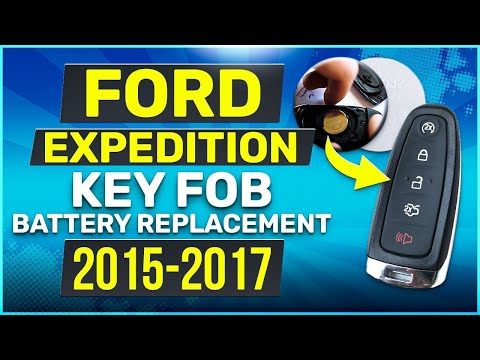 Ford Expedition (2007-2017 / U324) How to Replace the Key Fob Battery in a Ford Expedition? Replacing the key fob battery in a Ford Expedition, as shown in this tutorial, is an extremely simple and quick task. You won’t need any special tools, just …Read all… Posted on 24 October 2026 by ScegliAuto  Ford Expedition (2007-2017 / U324) How to Replace the Interior Handle on a Ford Expedition? In this tutorial, you will see how to replace the interior handle on a Ford Expedition, a very simple task. First, open the door you will be working on. Then, …Read all… Posted on 20 October 2026 by ScegliAuto 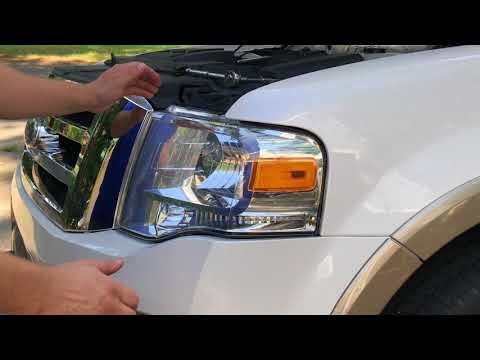 Ford Expedition (2007-2017 / U324) How to Replace the Front Bulbs in the Ford Expedition In today's video, you will see how to replace the front bulbs in the Ford Expedition. We recommend performing this operation only after allowing the vehicle to …Read all… Posted on 13 October 2026 by ScegliAuto  Ford Expedition (2007-2017 / U324) How to Replace the Battery in the Ford Expedition Remote? Replacing the battery in the Ford Expedition remote, as shown in this tutorial, is an extremely simple and inexpensive operation. To do this, you will need a …Read all… Posted on 22 August 2026 by ScegliAuto  Ford Expedition (2007-2017 / U324) How to Restore the Exterior Plastics of a Ford Expedition Dark plastics exposed to the sun for a long time tend to fade, sometimes quite badly, like those on the Ford Expedition in the video. Our YouTuber suggests how …Read all… Posted on 10 August 2026 by ScegliAuto 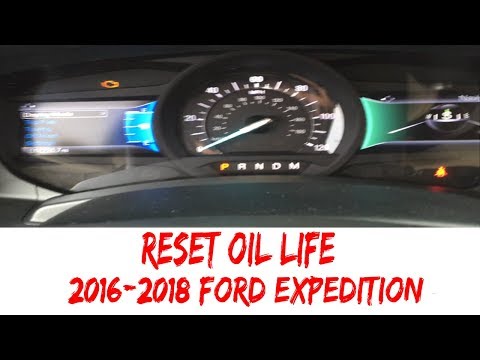 Ford Expedition (2007-2017 / U324) How to Reset the Oil Light on a 2017 Ford Expedition If you don't know how to reset the engine oil light on your 2017 Ford Expedition, don't worry because below you will find all the instructions you need. First, …Read all… Posted on 6 August 2026 by ScegliAuto |
How to enter the radio code in the Opel Zafira?
In the Opel Zafira, it may happen that the radio locks and consequently requests the appropriate security code, especially after disconnecting or replacing the battery. The code can be found in the documents provided at purchase or through one of the various online recovery services. Once obtained, enter it by following the procedure shown in this tutorial. First, switch on the instrument panel, then press and hold both the "AS" button and the left knob for about 5 seconds. Next, enter the first digit by repeatedly pressing the "1" button, continue with the next 3 buttons, and save the setting by pressing the "AS" button again. by ScegliAuto More videos
|
|
For advertising on this site Write to info@scegliauto.com
ScegliAuto is not responsible for any inaccuracy of the data in the lists. To report any inaccuracy or your business (if you own the business in question), please write to info@scegliauto.com
Number of seconds to generate the page: 0.007
(c) ScegliAuto 2026 - info@scegliauto.com - Privacy policy VAT number: IT01247470535 |
