
|
Do it yourself
| |||
| ||||


Ford Kuga - Onboard computerOnboard Computer Ford Kuga (2012-2019 / c 520, mk 2) Ford Kuga (2008-2012 / C394, MK 1)
How to reset the onboard computer in the Ford Kuga? In this tutorial, we will see how to reset the onboard computer in the Ford Kuga, a very simple and quick operation that can be performed, for example, as an …Read all… Posted on 29 November 2025 by ScegliAuto  Ford Kuga (2012-2019 / C520, MK 2)
How to reset the onboard computer in the Ford Kuga? In this tutorial we can see how to reset the onboard computer in the Ford Kuga, an extremely simple and quick operation, to be carried out for example as an …Read all… Posted on 21 April 2025 by ScegliAuto 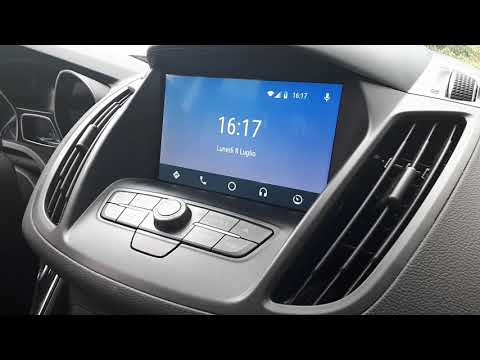 Ford Kuga (2012-2019 / C520, MK 2)
What to do when Sync 3 is not working on a Ford Kuga In this video we see what to do if Sync 3 is not working on a Ford Kuga: it is a real computer, so, if it sometimes misbehaves, like not reading the USB stick, …Read all… Posted on 3 May 2024 by ScegliAuto  Ford Kuga (2012-2019 / C520, MK 2)
How to Reset the BMS in a Ford Kuga MK2 In this video tutorial, you can see how to reset the BMS (Battery Management System) in a Ford Kuga MK2. The BMS is an electronic system for the complete …Read all… Posted on 13 July 2026 by ScegliAuto 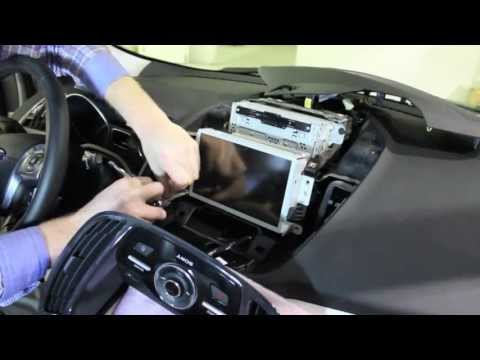 Ford Kuga (2012-2019 / C520, MK 2)
Removing the Central Display on a Ford Kuga In this tutorial, you will learn how to remove the central display or onboard computer on a Ford Kuga, as well as on other models from the manufacturer. First, …Read all… Posted on 21 June 2026 by ScegliAuto 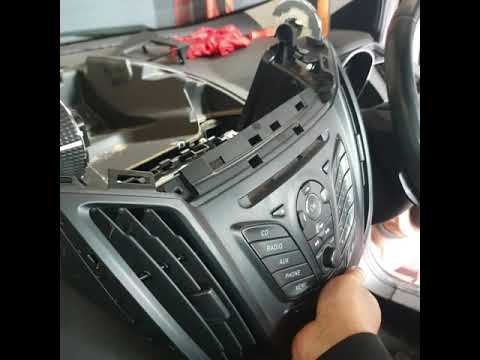 Ford Kuga (2012-2019 / C520, MK 2)
Removing the Radio from a Ford Kuga To retrieve the radio code for your Ford Kuga, you will need to extract it from its housing, and here’s how to do it. Obtain a plastic lever and remove the …Read all… Posted on 12 June 2026 by ScegliAuto 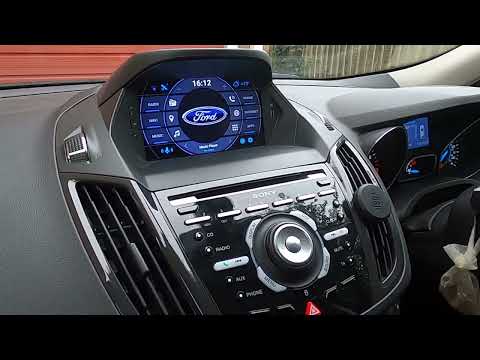 Ford Kuga (2012-2019 / C520, MK 2)
Removing Sync 2 Onboard Computer on Ford Kuga MK2 This video shows how to remove and replace the multimedia system or Sync 2 onboard computer on a Ford Kuga second generation. First, get inside the vehicle and …Read all… Posted on 15 May 2026 by ScegliAuto  Ford Kuga (2012-2019 / C520, MK 2)
Removing Sync 3 Navigation System on Ford Kuga 2019 In today's tutorial video, we will see how to remove the onboard computer or Sync navigation system on a 2019 Ford Kuga, following these simple instructions. …Read all… Posted on 6 May 2026 by ScegliAuto Onboard Computer Ford Kuga (2008-2012 / c 394, mk 1)
Ford Kuga (2008-2012 / C394, MK 1)How to reset the onboard computer in the Ford Kuga? In this tutorial, we will see how to reset the onboard computer in the Ford Kuga, a very simple and quick operation that can be performed, for example, as an …Read all… Posted on 29 November 2025 by ScegliAuto
Ford Kuga (2012-2019 / C520, MK 2)How to reset the onboard computer in the Ford Kuga? In this tutorial we can see how to reset the onboard computer in the Ford Kuga, an extremely simple and quick operation, to be carried out for example as an …Read all… Posted on 21 April 2025 by ScegliAuto
Ford Kuga (2012-2019 / C520, MK 2)What to do when Sync 3 is not working on a Ford Kuga In this video we see what to do if Sync 3 is not working on a Ford Kuga: it is a real computer, so, if it sometimes misbehaves, like not reading the USB stick, …Read all… Posted on 3 May 2024 by ScegliAuto
Ford Kuga (2012-2019 / C520, MK 2)How to Reset the BMS in a Ford Kuga MK2 In this video tutorial, you can see how to reset the BMS (Battery Management System) in a Ford Kuga MK2. The BMS is an electronic system for the complete …Read all… Posted on 13 July 2026 by ScegliAuto
Ford Kuga (2012-2019 / C520, MK 2)Removing the Central Display on a Ford Kuga In this tutorial, you will learn how to remove the central display or onboard computer on a Ford Kuga, as well as on other models from the manufacturer. First, …Read all… Posted on 21 June 2026 by ScegliAuto
Ford Kuga (2012-2019 / C520, MK 2)Removing the Radio from a Ford Kuga To retrieve the radio code for your Ford Kuga, you will need to extract it from its housing, and here’s how to do it. Obtain a plastic lever and remove the …Read all… Posted on 12 June 2026 by ScegliAuto
Ford Kuga (2012-2019 / C520, MK 2)Removing Sync 2 Onboard Computer on Ford Kuga MK2 This video shows how to remove and replace the multimedia system or Sync 2 onboard computer on a Ford Kuga second generation. First, get inside the vehicle and …Read all… Posted on 15 May 2026 by ScegliAuto
Ford Kuga (2012-2019 / C520, MK 2)Removing Sync 3 Navigation System on Ford Kuga 2019 In today's tutorial video, we will see how to remove the onboard computer or Sync navigation system on a 2019 Ford Kuga, following these simple instructions. …Read all… Posted on 6 May 2026 by ScegliAuto Cigarette lighter (1) Airbag (2) Alternator (3) Shocks (1) Car stereo (15) Roof rack bars (2) Battery (30) Transmission (2) Body (10) Key (39) Timing belt (12) A/C controls (1) Onboard computer (8) Checks and maintenance (21) Oil pan (1) Shifter boot (1) Bearing (2) Headlight (15) Tail light (9) Fog lights (6) Diesel particulate filter (2) Air filter (6) Cabin air filter (12) Fuel filter (1) Diesel fuel filter (11) Oil filter (7) Parking brake (3) Fuel injectors (1) Window switch (1) Light bulb (6) Side marker bulb (9) Headlight bulb (24) Tail light bulb (9) Instrument panel light (1) License plate light (3) Handle (3) Power window motor (1) Transmission fluid (2) Engine oil (8) Power steering fluid (1) Clock (5) Door trim panel (10) Front bumper (1) Brake pads (4) Shift knob (2) Fuel pump (1) Fuse box (29) Seat (3) Door lock (1) Side mirror (7) AdBlue warning light (2) Warning light – error code (31) (26) Tire pressure warning light (9) Service warning light (104) Engine mount (1) Windshield wipers (5) Windshield washer nozzle (1) Blower motor (1) Side window (2) Steering wheel (1) |
How to Remove the Headrests from a Fiat Panda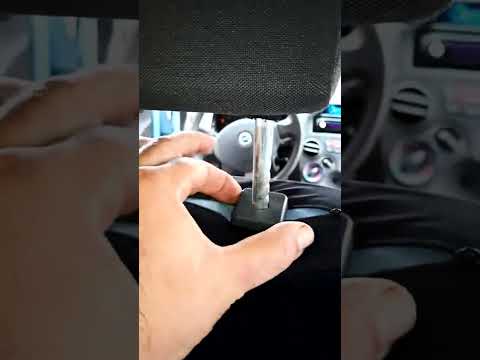
Below are the instructions to remove the headrests, both front and rear, from the Fiat Panda. First, get inside the vehicle and press and hold the side button located at the base of the headrest. Then, while holding the button, pull the headrest upwards to remove it, as shown in the video. At this point, perform the same operation on the other headrests. Now, simply insert them back in while holding the button, and finally adjust the height of all the headrests! by ScegliAuto More videos
|
|
For advertising on this site Write to info@scegliauto.com
ScegliAuto is not responsible for any inaccuracy of the data in the lists. To report any inaccuracy or your business (if you own the business in question), please write to info@scegliauto.com
Number of seconds to generate the page: 0.057
(c) ScegliAuto 2026 - info@scegliauto.com - Privacy policy VAT number: IT01247470535 |
